
What Is an AI-Powered Digital Profile? How It Differs from a Link Page or a Website
An AI-powered digital profile is an online profile built so that search engines and AI assistants can understand it, not just people. Here is what it is, how it differs from a link page or a website, and how to set yours up.

Rakesh Kolhapure · 5 min read
TL;DR
- An AI-powered digital profile is one shareable page, labelled so search engines and AI assistants can read it accurately.
- It describes your business, unlike a link-in-bio page, and is faster to set up than a website.
- It cannot guarantee rankings or AI mentions; accurate, complete details matter most.
- Pick a clear category, add service areas and FAQs, and keep details current.
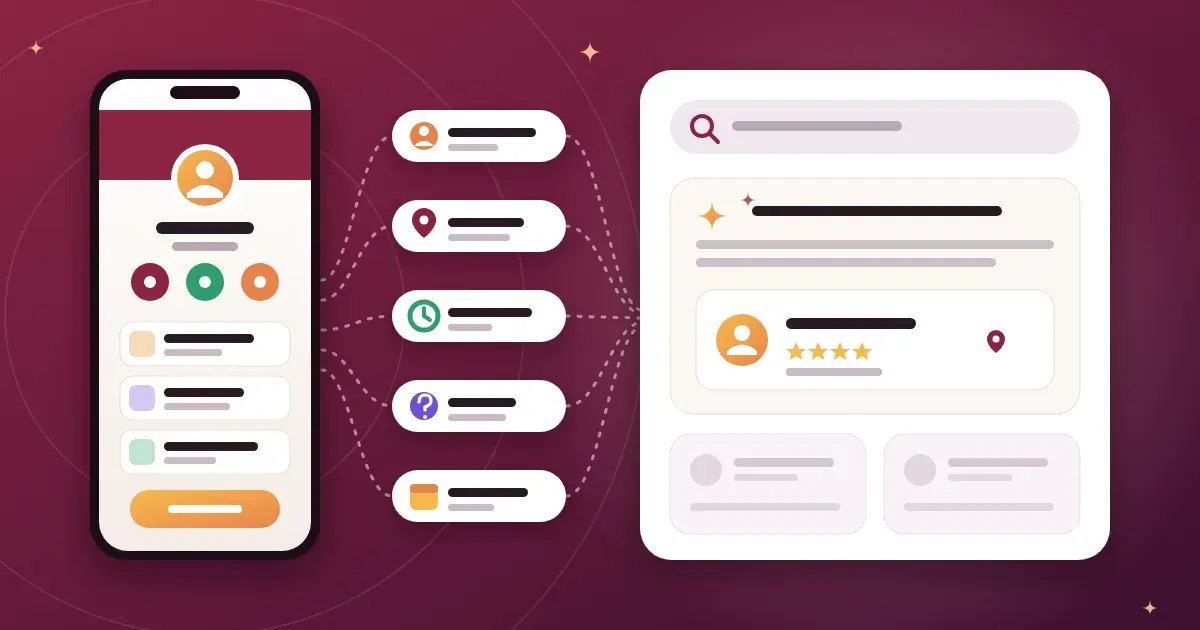
An AI-powered digital profile is an online profile for a business or professional that is built to be understood by search engines and AI assistants, not just read by people. It puts your details in one shareable page and labels them in a way machines can read, so tools can describe you accurately.
The phrase gets used loosely online, so this guide keeps to what matters: what the profile contains, what happens behind the page, how it differs from a link page or a website, and what it can and cannot do for you.
What is an AI-powered digital profile?
Think of it as three layers working together:
- A shareable page. One link and QR code that opens your profile on any phone, with no app to install.
- Details people can read. Who you are, what you offer, where you work, when you are available and how to contact you.
- Labels machines can read. Behind the page, each fact is marked up, so a search engine knows "this is a business name" or "this is an event date", not just a line of text.
It is a close cousin of a digital visiting card, with the added focus on being found and understood by modern search. If you are new to the idea, start with our guide on why every business needs a digital identity.
Why does AI search change how people find businesses?
More people now ask a question and expect an answer: "chartered accountant near me", "good salon in Andheri", "tutor for class 10 maths". Search engines and AI assistants build those answers from pages that are clear, consistent and well labelled.
If your details are scattered across old posts and listings, or written vaguely, a system has little to work with. If one page states your name, services, area and contact clearly, it has much more. That does not guarantee you will be mentioned, but it removes avoidable reasons to be skipped.
What happens behind the page?
The labels are called structured data, often written as Schema.org markup. It is code that tells search engines exactly what a page describes.
vKard builds it automatically from the fields you fill in, so you never touch code. For every published profile it can include:
- who you are, as a person or an organisation, based on your category
- your FAQ questions and answers
- your events, with dates and online or in-person mode
- your service areas
- embedded videos
- showcase items, with a price only when it is clear
For a fuller explanation, read what structured data is and how vKard uses it.
How is it different from a link page or a website?
- A link-in-bio page is a list of buttons. It helps people click around, but it rarely explains who you are or where you work, so there is little for a search engine to understand.
- A website gives you the most control and room, but it takes more time and money to build and maintain. Many small businesses do not have one.
- An AI-powered digital profile sits in the middle. It is quick to set up, describes your business in a structured way and can link to your website and social pages.
You do not have to choose one. A common set-up is a profile as the central hub, with links out to a website, Instagram and WhatsApp.
What can a good profile include?
- A clear description of what you do and who you help
- A specific category, so people and search engines know your field
- Areas you serve, such as pincodes, localities or all of India
- Questions and answers about your business
- Events such as webinars or launches
- Services or products in a showcase
- Working hours, a map, a video and one-tap buttons for call, WhatsApp and email
Some of these, such as FAQ, Events and Area Served, are on paid plans. You can compare them on the pricing page.
What can it not do?
- It cannot guarantee a ranking. No tool can promise to put you on page one or in an AI answer.
- It does not check or verify you. A vKard is not a government ID.
- It is only as good as your details. Old hours or a wrong phone number will mislead people and machines.
- It does not replace everything else. A Google Business Profile, reviews and a good reputation still matter.
The most useful thing you can do is complete your profile accurately and keep it up to date.
How do you make yours easy to understand?
- Choose the right category. Be as specific as the list allows.
- Write a clear opening. In two sentences: your name, what you do, who you help and where.
- Add your service areas. List the places you really work.
- Answer real questions. Add FAQs that customers actually ask on calls and in chats.
- Keep it current. Update hours, prices and contact details when they change.
- Use real photos. Show your shop, team or work.
- Set your search text. On paid plans, you can write your own search title and description.
Who is it for?
Any business or professional that people look up before they get in touch: shops, clinics, salons, tutors, accountants, agencies, freelancers and consultants. If you want to see what a finished profile looks like, browse the Gallery.
Where should you start?
Start small. Create the profile, fill in your basics and share the link. You can add FAQs, events and a showcase later.
Ready to try it? Create your free vKard, or follow the step-by-step guide to creating your vKard.
Frequently asked questions
It means the profile is built so search engines and AI assistants can read and understand it, using structured data that is generated automatically from your details.
No. It is a profile page that describes you and your business. It does not chat with visitors.
No tool can promise that. A clear, complete and accurate profile gives search and AI systems better information to work with.
No. vKard creates the structured data automatically from the fields you fill in.
A digital visiting card is the shareable page. An AI-powered profile is a digital visiting card that is also structured so search and AI systems can understand it.
Share this post
 WhatsApp
 LinkedIn
 X
 Facebook
 Email
Written by
Founder & CEO of vKonect Infomedia, the company behind vKard — an AI-powered digital profile and smart networking platform. He writes about digital identity, online visibility and business growth.
Keep reading
 Digital Identity
Website vs Social Media vs Digital Visiting Card vs Link-in-Bio: What Does Your Business Need?
Rakesh Kolhapure
A website, a social media page, a link-in-bio page and a digital visiting card each do a different job. Here is what each one is best at, how they compare, and which mix fits a shop, clinic, consultant or freelancer.
6 min read
 Digital Identity
Why Every Business in India Needs a Digital Identity (and How to Build One in a Day)
Rakesh Kolhapure
Your digital identity is the one place customers check to see who you are, what you offer and how to reach you. Here is why every Indian business needs one, what it should include, and how to set yours up in a day.
6 min read
Ready to create your digital visiting card?
Set up your vKard profile in minutes and share it with one link or QR code.