Custom digital profiles
Links, socials, portfolio, contact details and more, on one page that is yours.
Learn more about Custom digital profilesFeatures
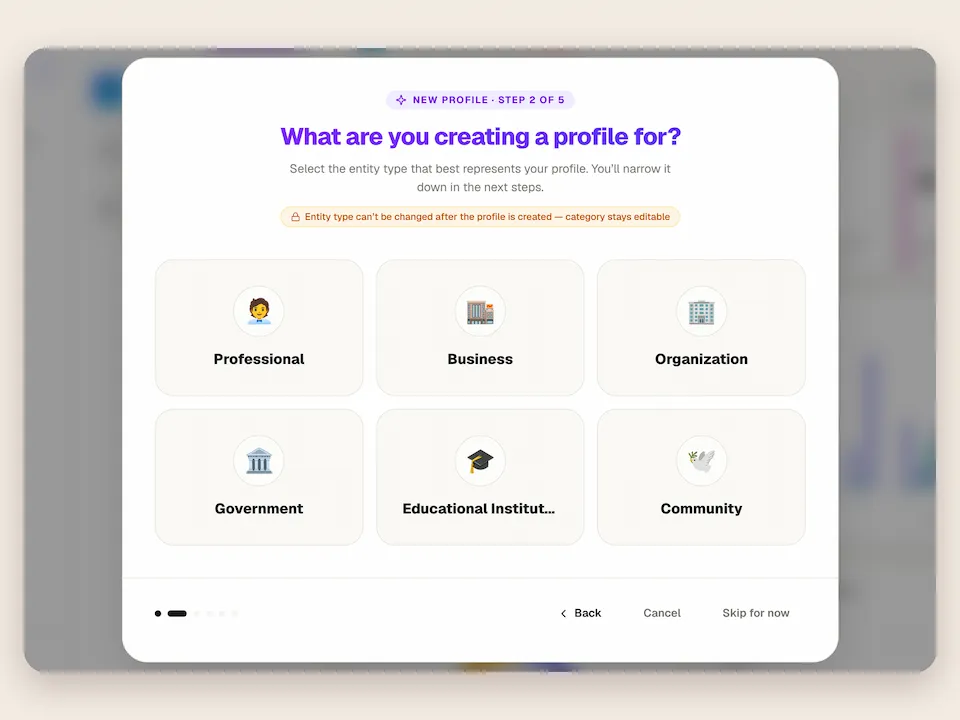
Build a customizable profile, share it with a link or QR code, see who engages, and capture the people who reach out. This page covers what vKard actually does.
Core features
Create, customize, share and grow your digital presence from one place.
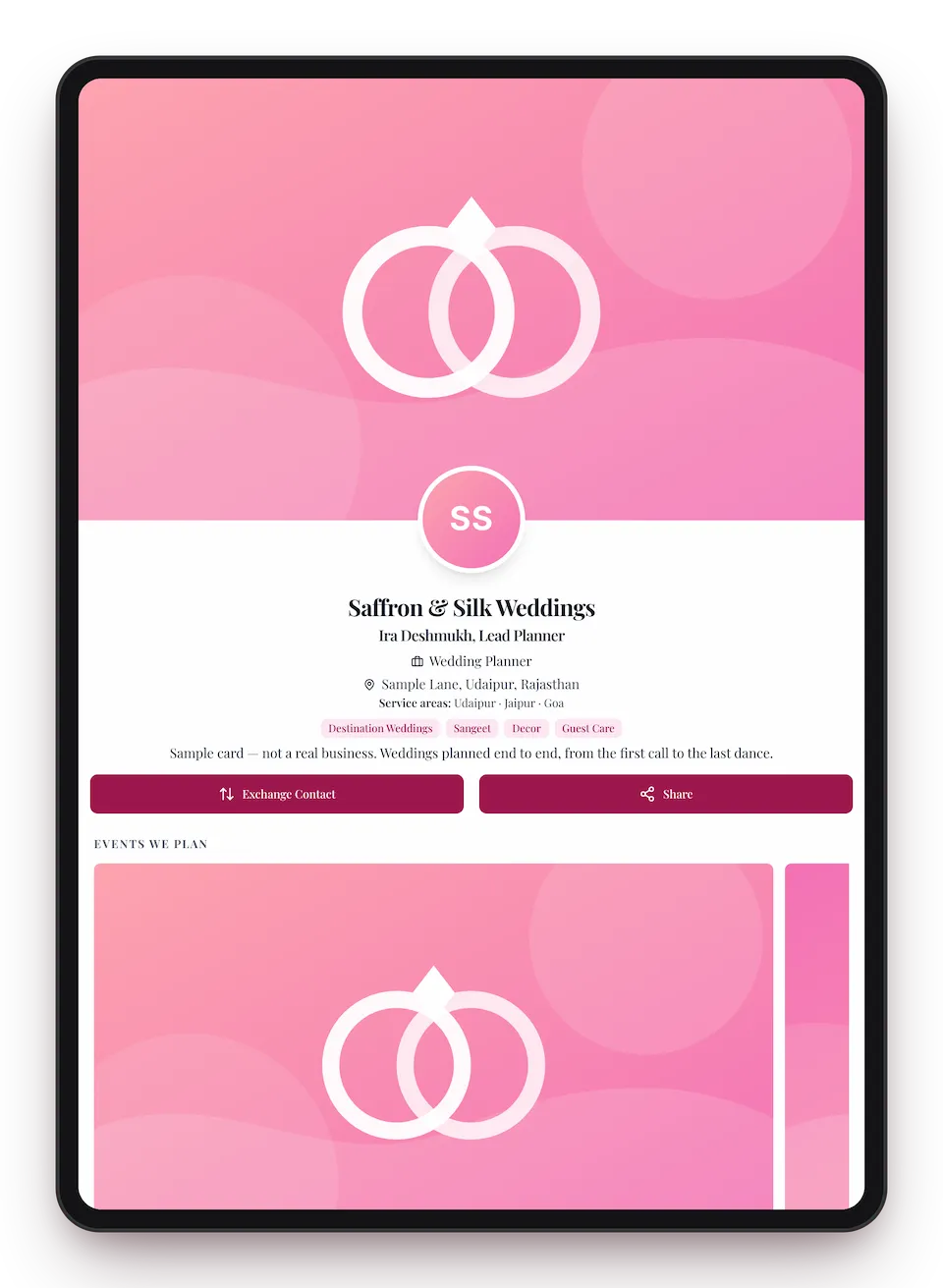
Links, socials, portfolio, contact details and more, on one page that is yours.
Learn more about Custom digital profiles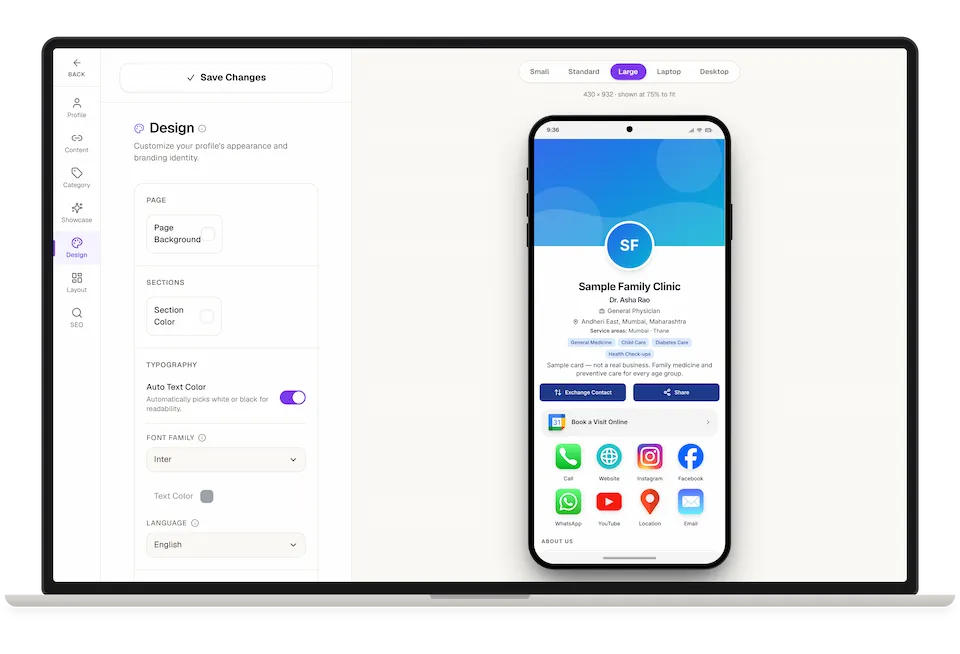
Edit your profile visually and see the changes in a live preview.
Learn more about Visual builder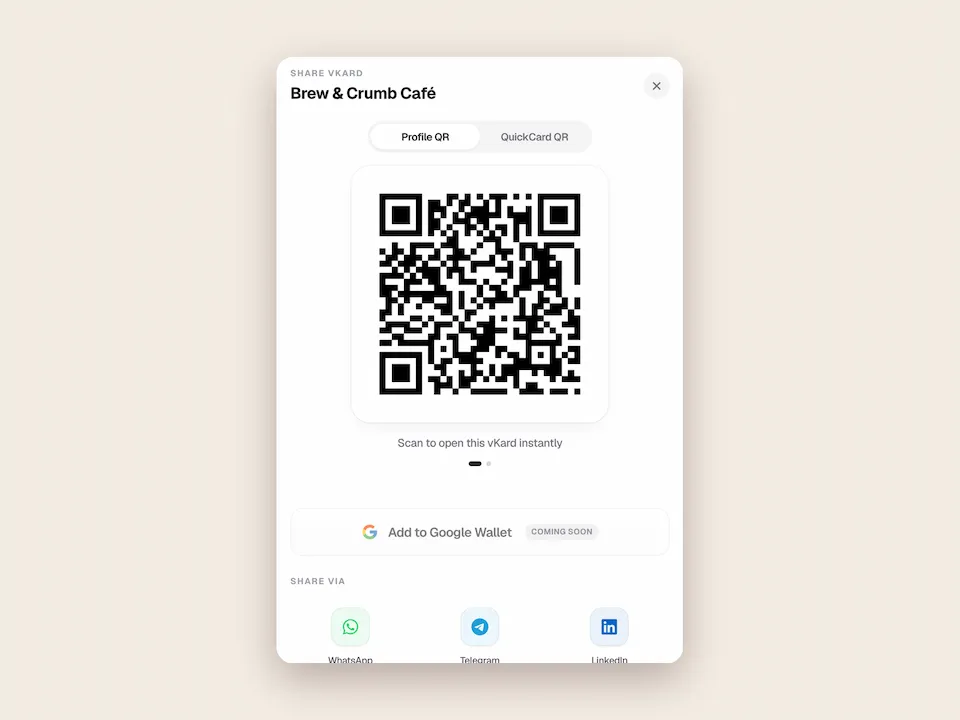
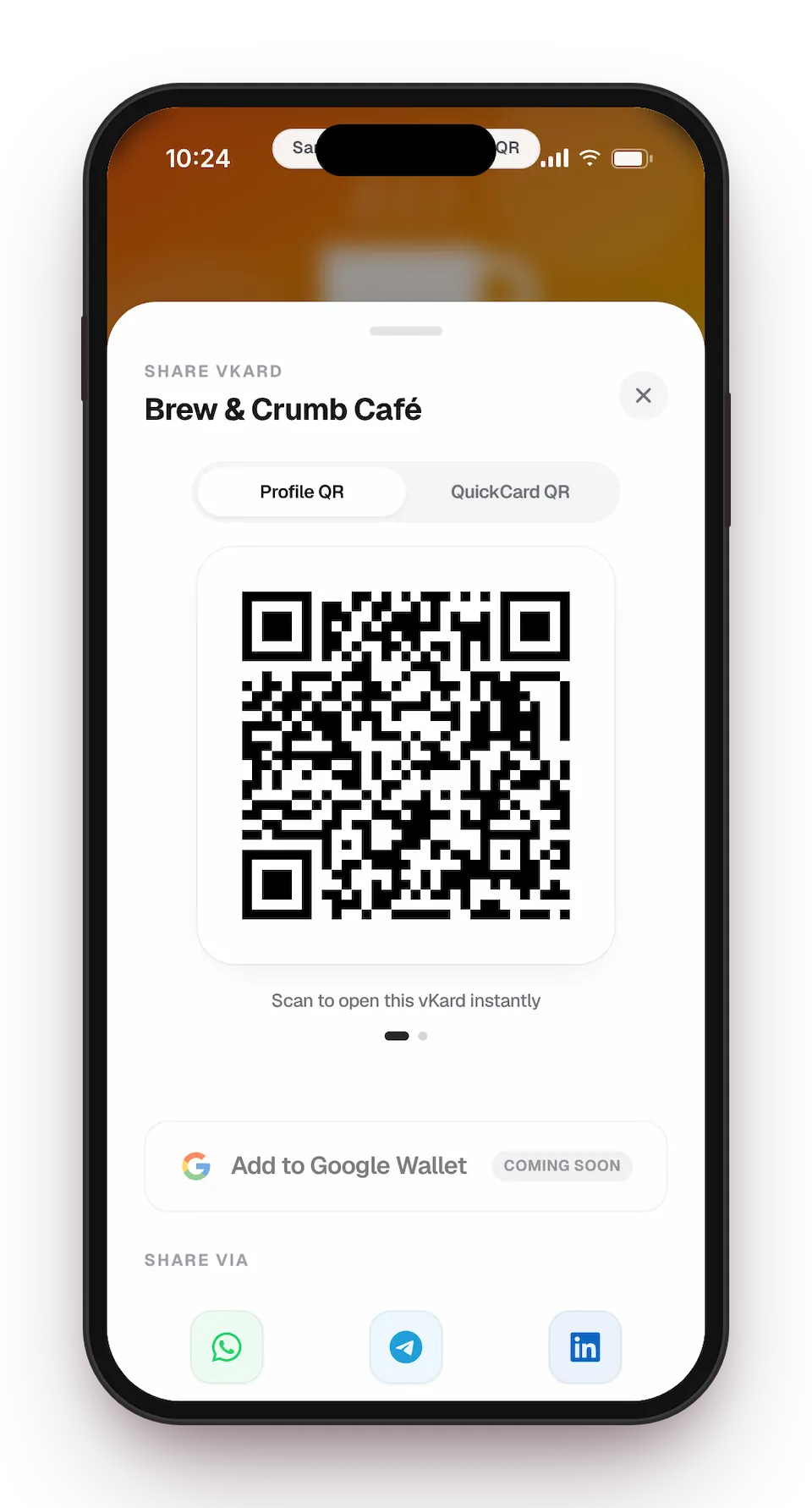
Share your profile with a scannable QR code or a single link.
Learn more about QR and link sharing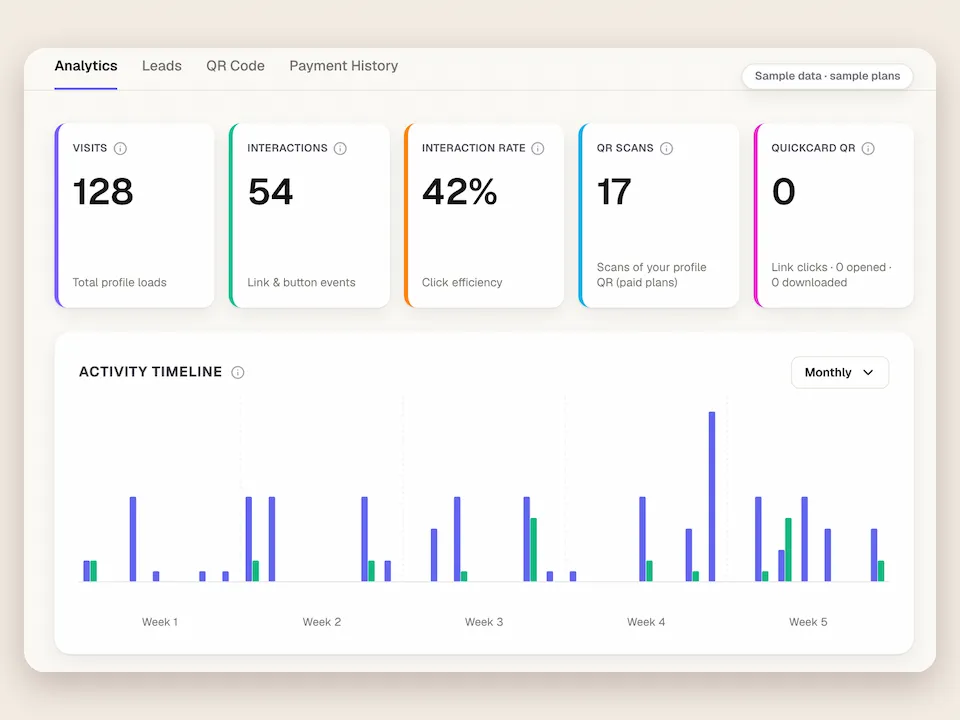
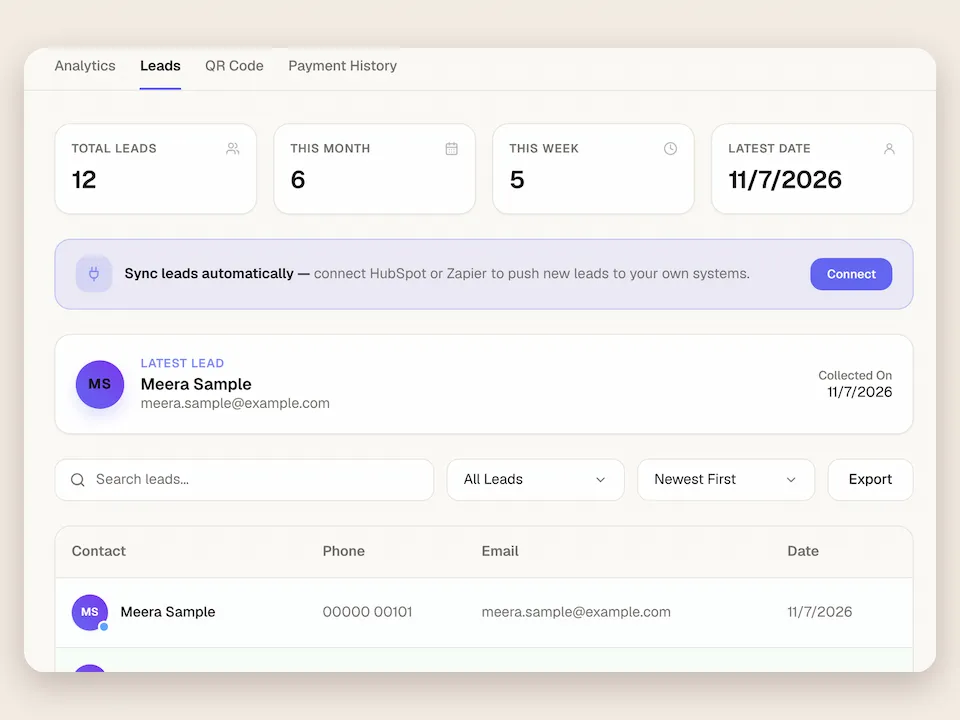
People can share their details with you, and you review them in your dashboard.
Learn more about Lead captureKeeping your profile in a phone wallet is on the way. We'll announce it when it is ready.
Builder
No code and no complicated settings: five dedicated editors cover Profile, Content, Design, Layout and Showcase, with a live preview beside them.
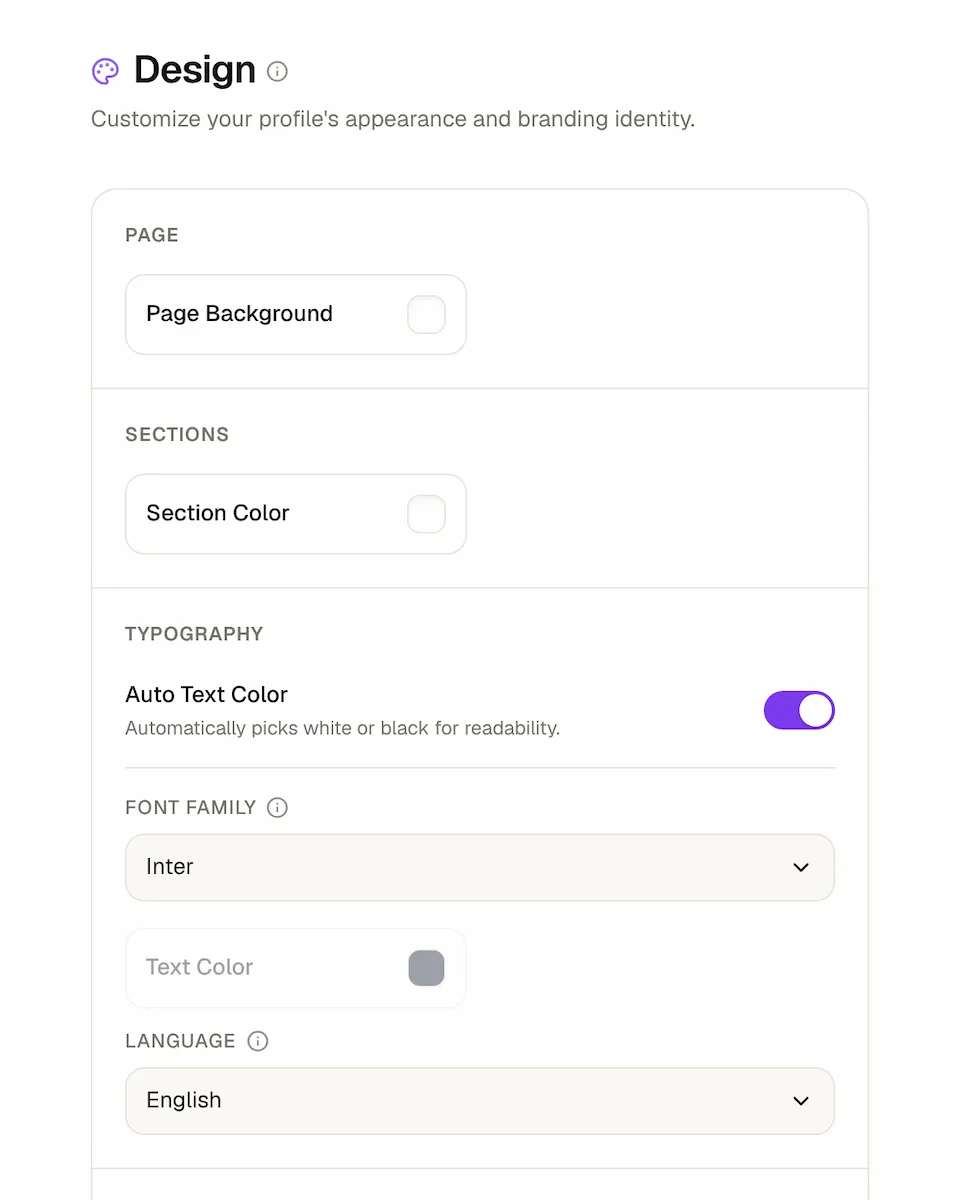
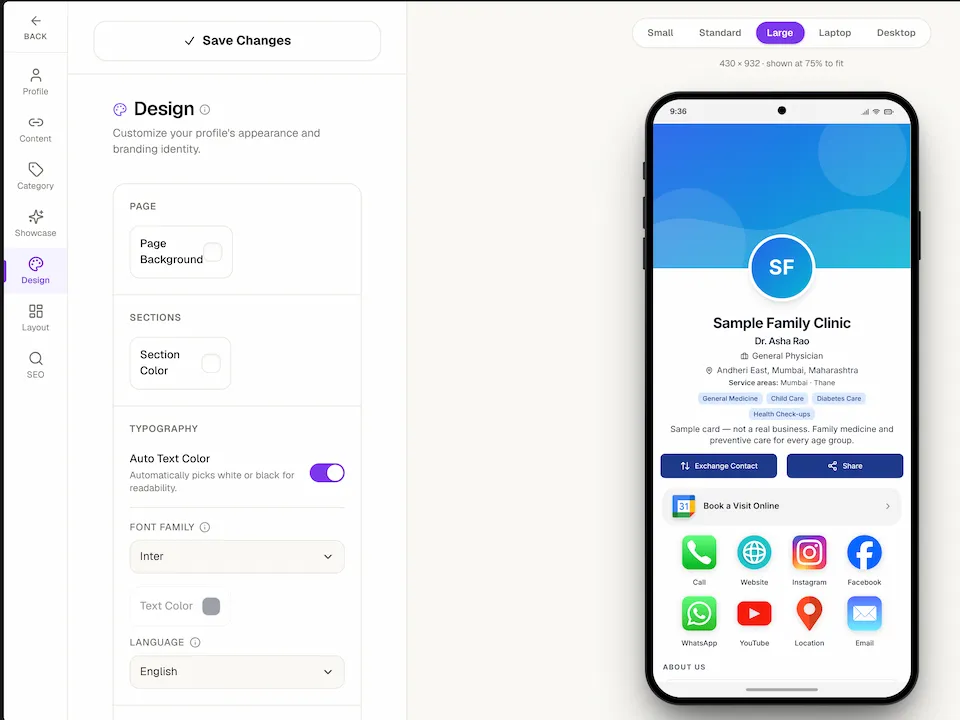
Pick colours, fonts and backgrounds in the Design editor and watch the preview change as you go.
Starter and above
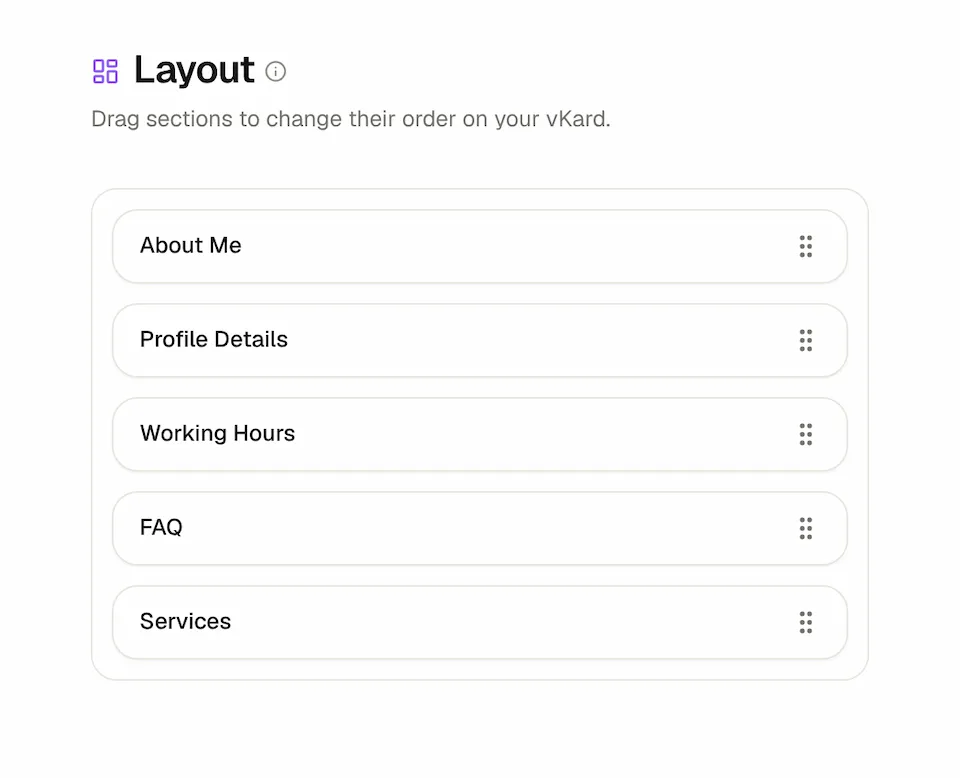
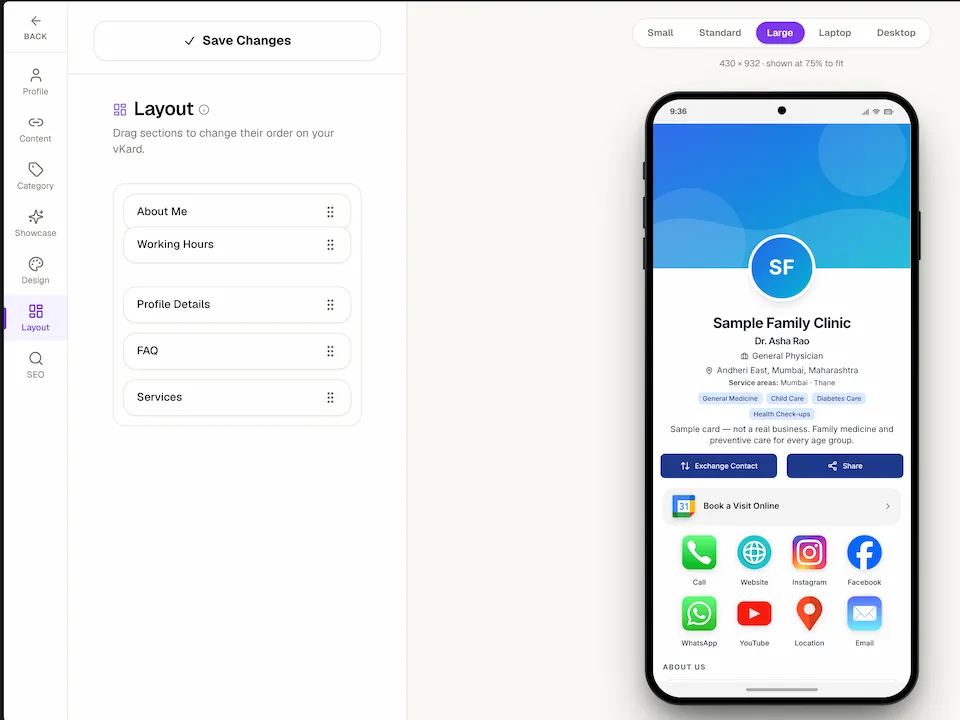
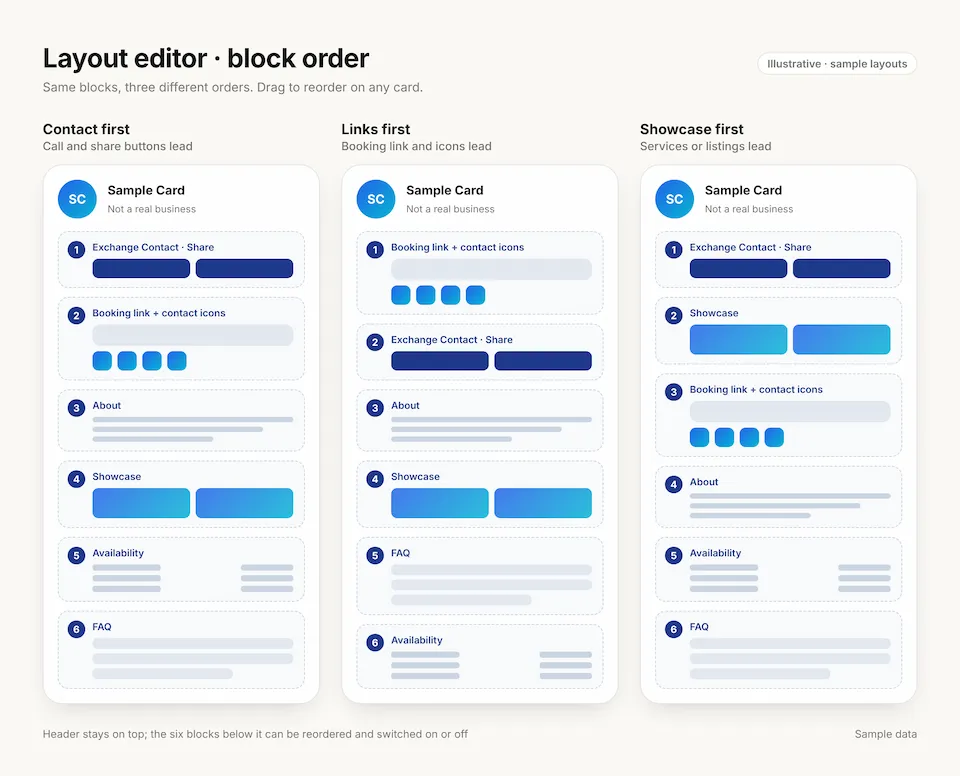
Reorder the sections of your profile and hide the ones you don't need.
Starter and above
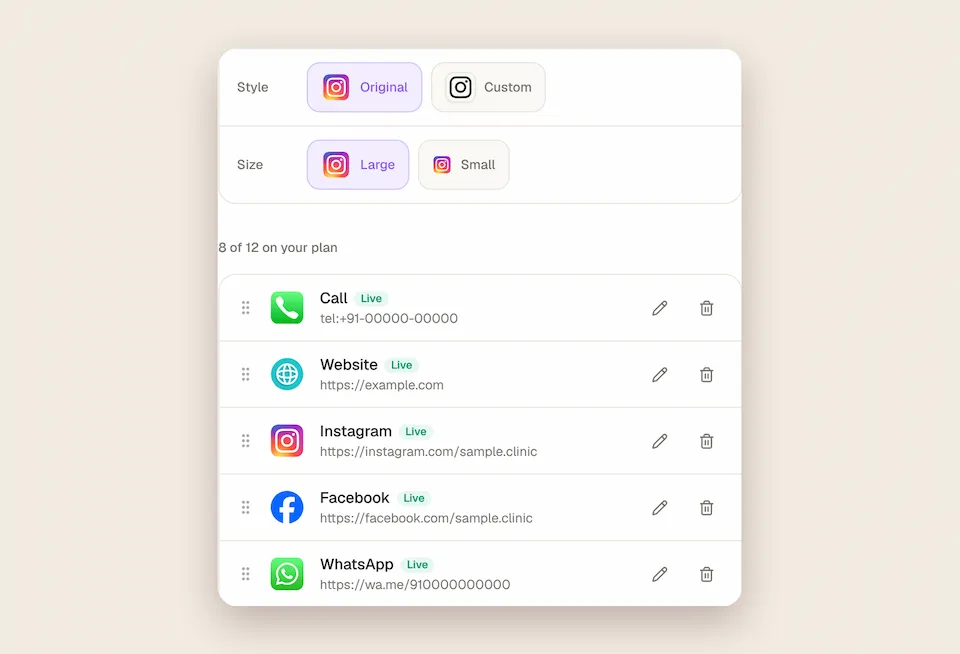
Add your website, socials, messaging apps and calls to action, each with its own label. How many calls to action you get depends on your plan.
Feature your work, listings or services in a showcase, in the layout that suits them.
Customization
From a professional business profile to a creator brand, build an identity that reflects you.
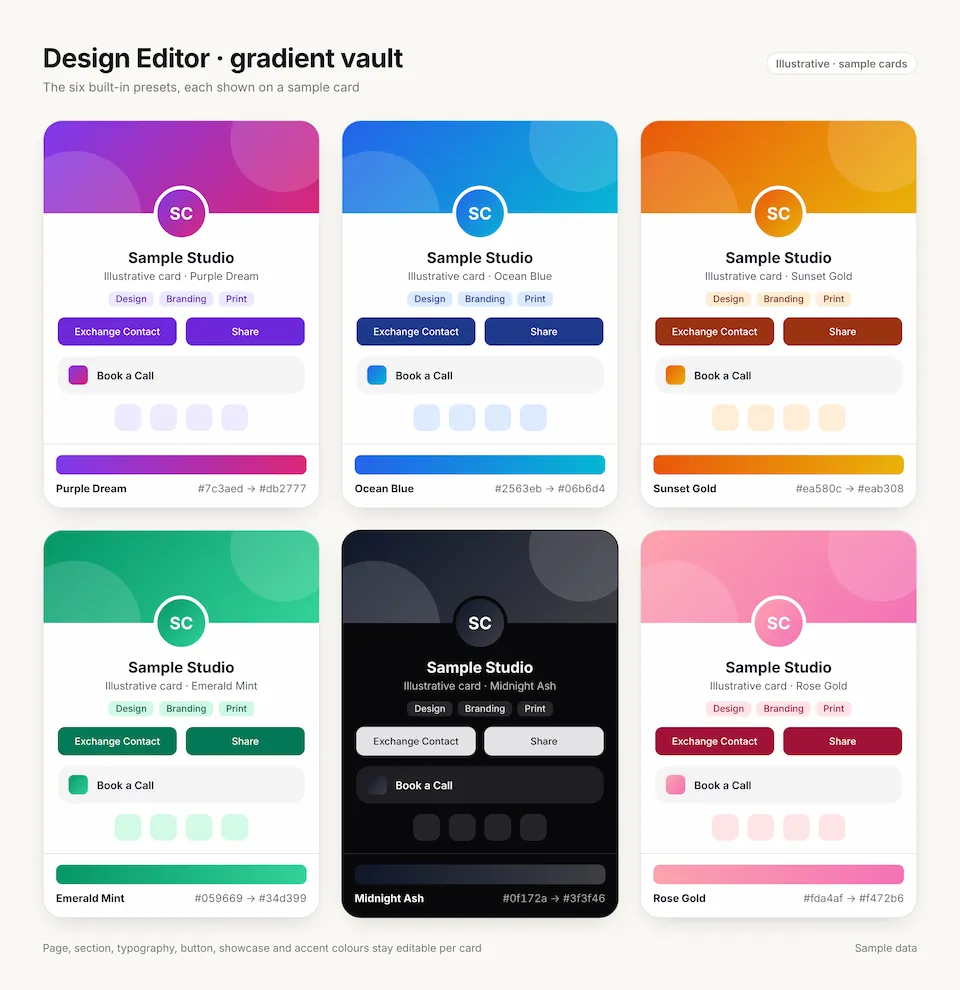
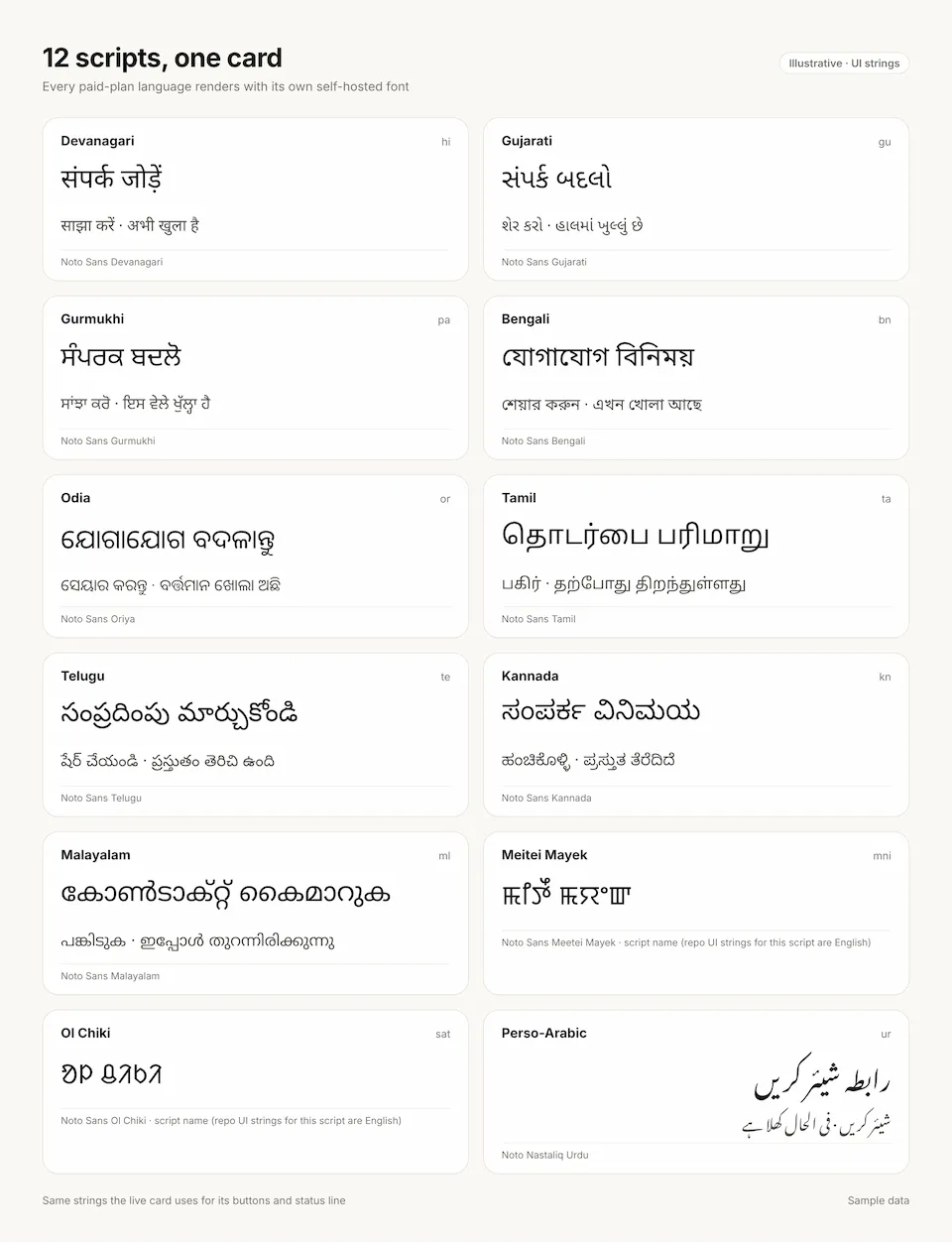
Set your own page and section colours, text colour and font.
Starter and aboveReorder any section of your profile.
Starter and aboveHide the ones you don't need.
Choose your own banner image.
Starter and aboveSharing
Whether you are meeting in person or messaging online, your profile is one link, one scan or one tap away.
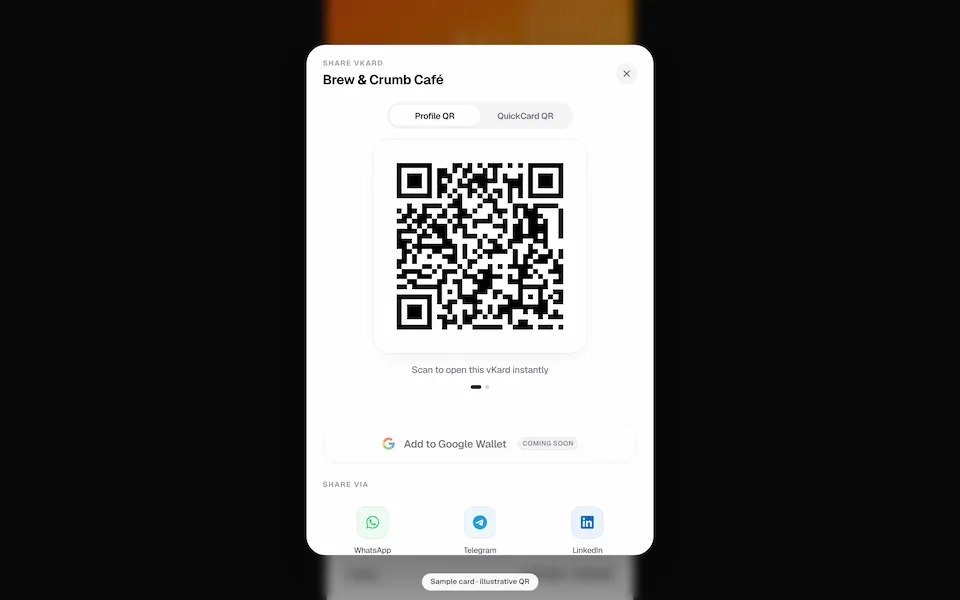
Copy your profile link or send it in one tap to WhatsApp, Telegram, LinkedIn or Facebook, or through your phone's own share options.
Anyone can scan it to open your full profile. Download the QR as an image for print, screens and signs.
A real .vcf download adds you to a phone's contacts in one tap. QuickCard QR does the same with a single scan, on every plan.
Keeping your profile in a phone wallet is on the way. We'll announce it when it is ready.
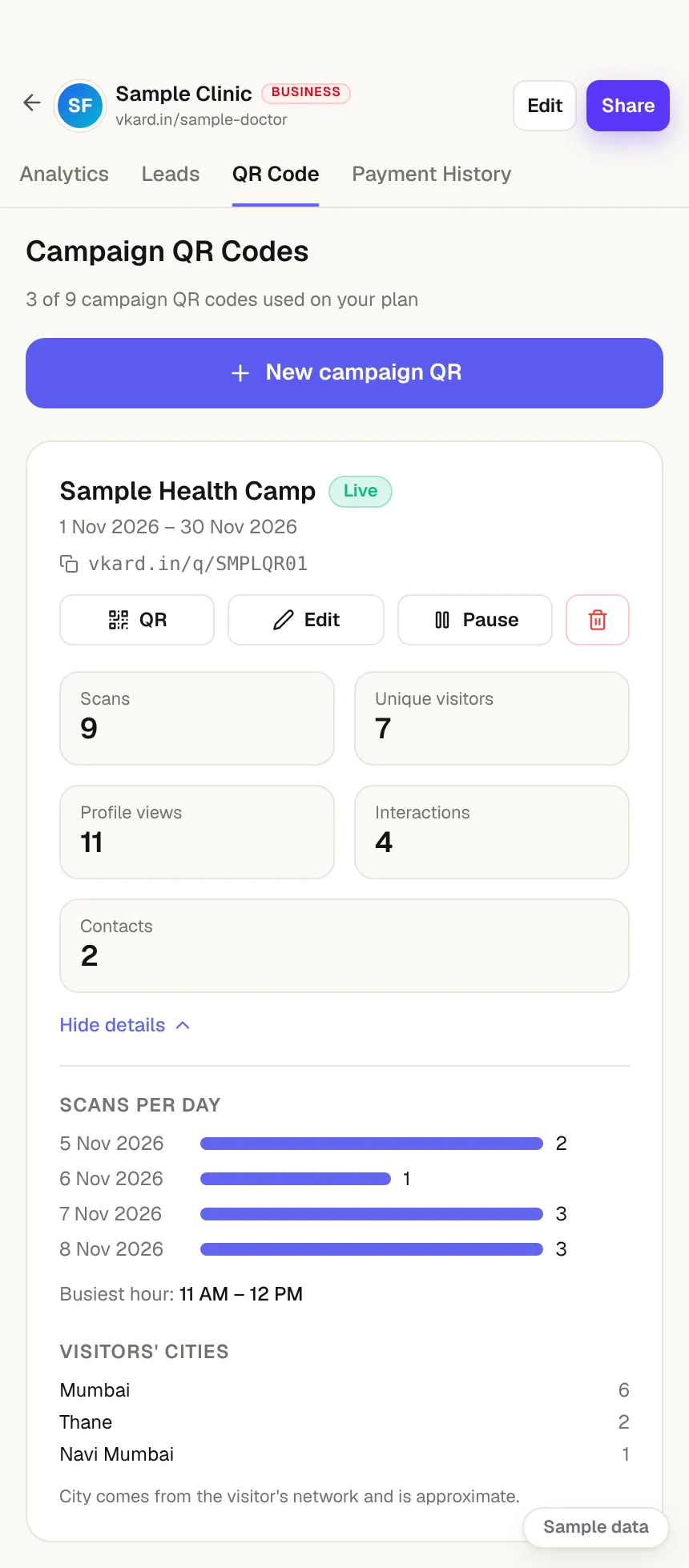
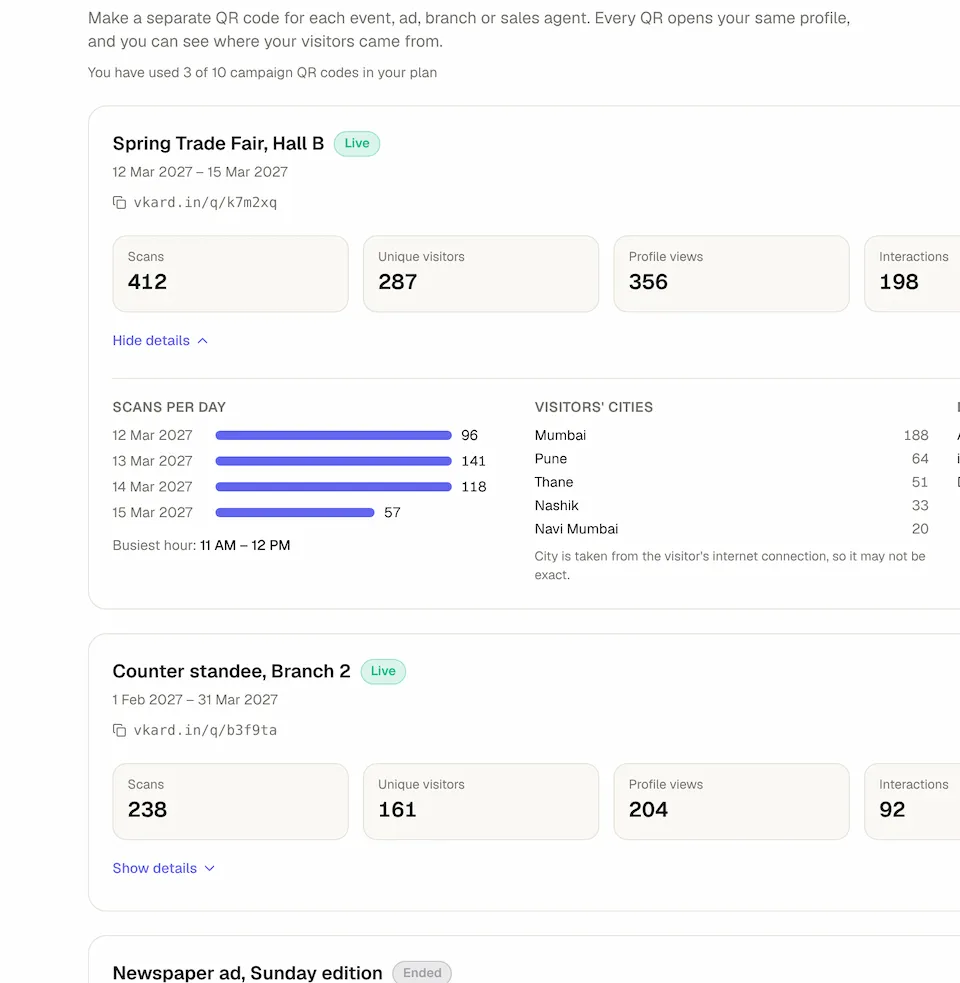
Make a separate QR for each event or placement and see the scans, interactions and contacts each one brings in. How many you can create depends on your plan.
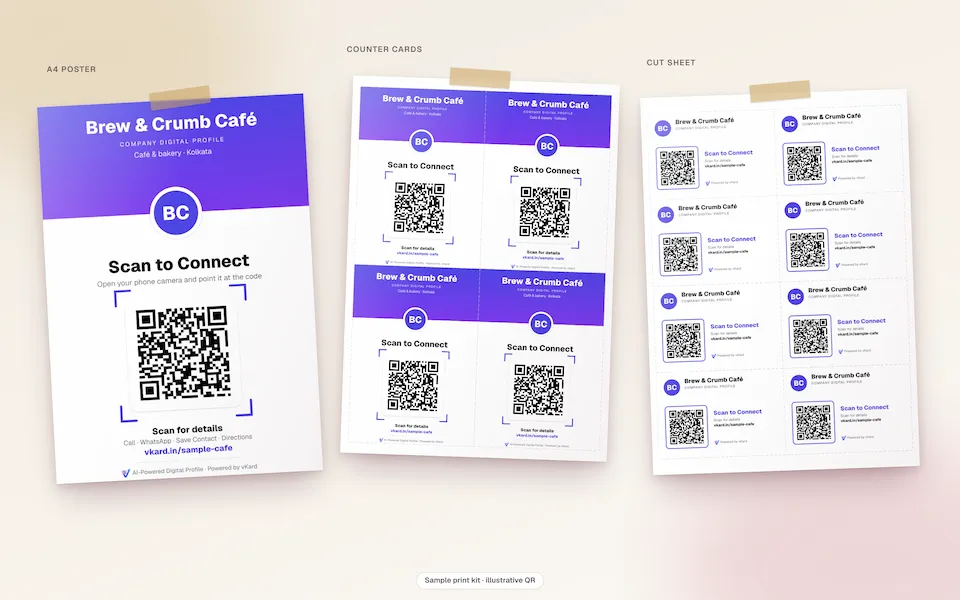
Turn your QR into a printable poster, counter stand or sticker sheet for your shop, desk or event table.
Analytics
See how people find and use your profile, from visits to the links they tap.
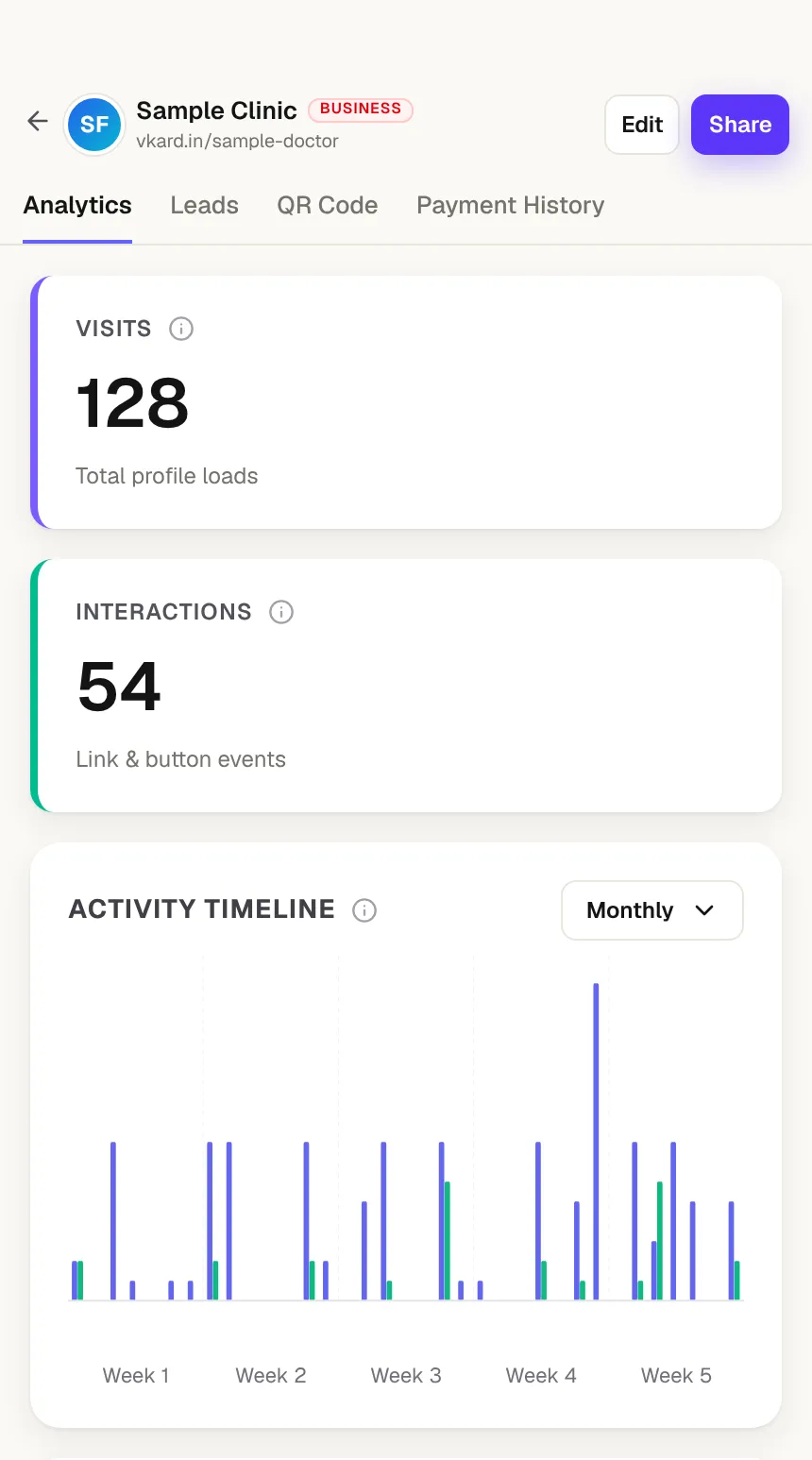
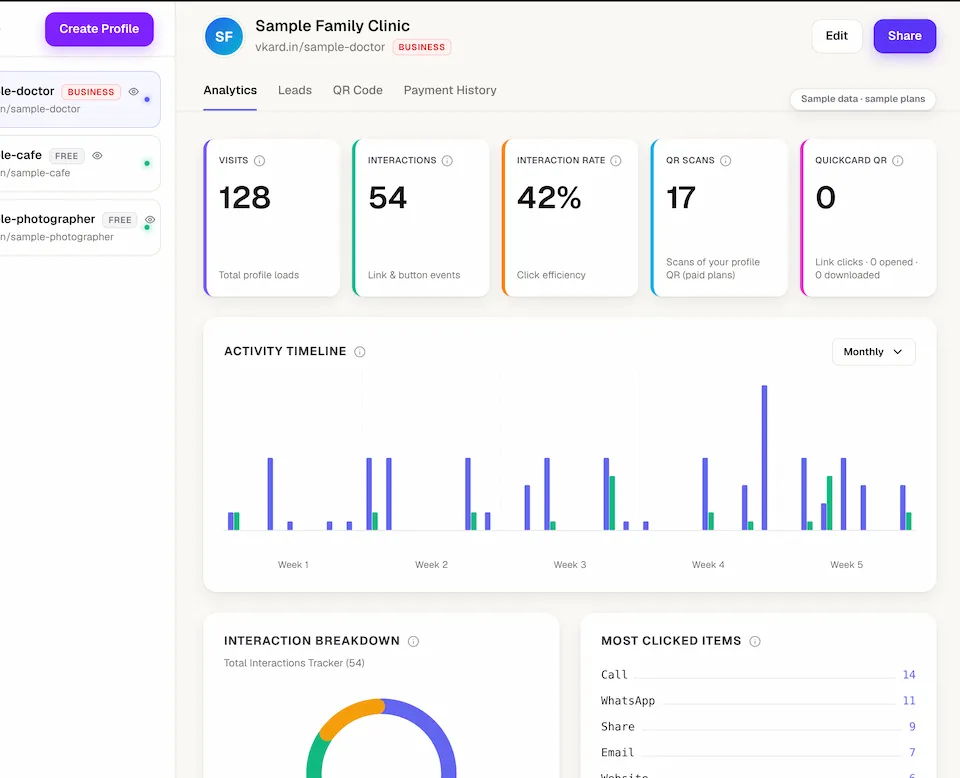
Visits, interactions, interaction rate and QR scans, with an activity timeline underneath.
A breakdown of interactions and your most-clicked items, so you know which links earn their place.
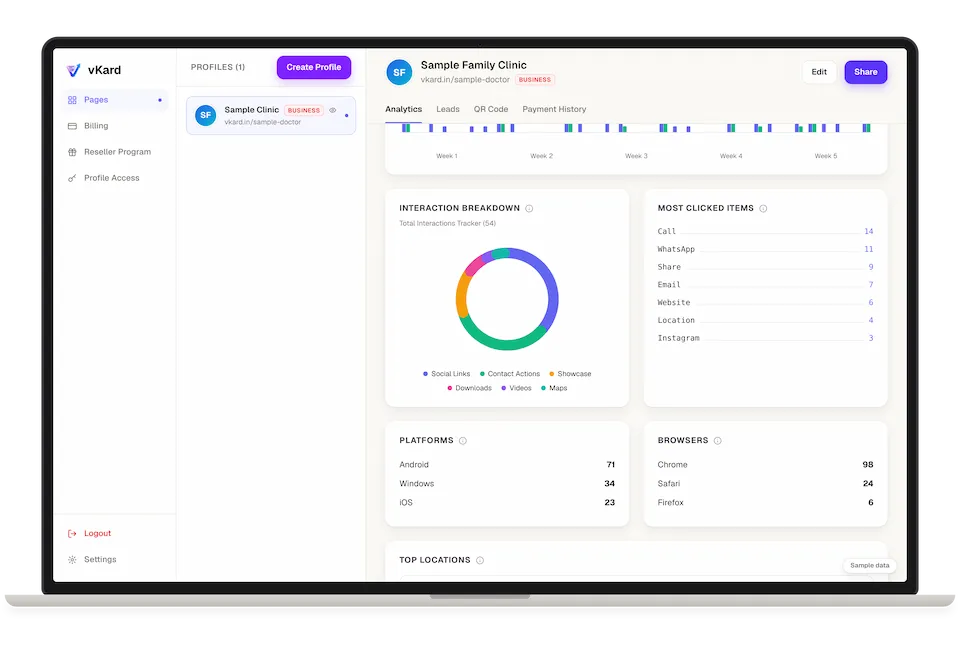
See the devices and browsers your visitors use.
A list of top locations beside a map of India.
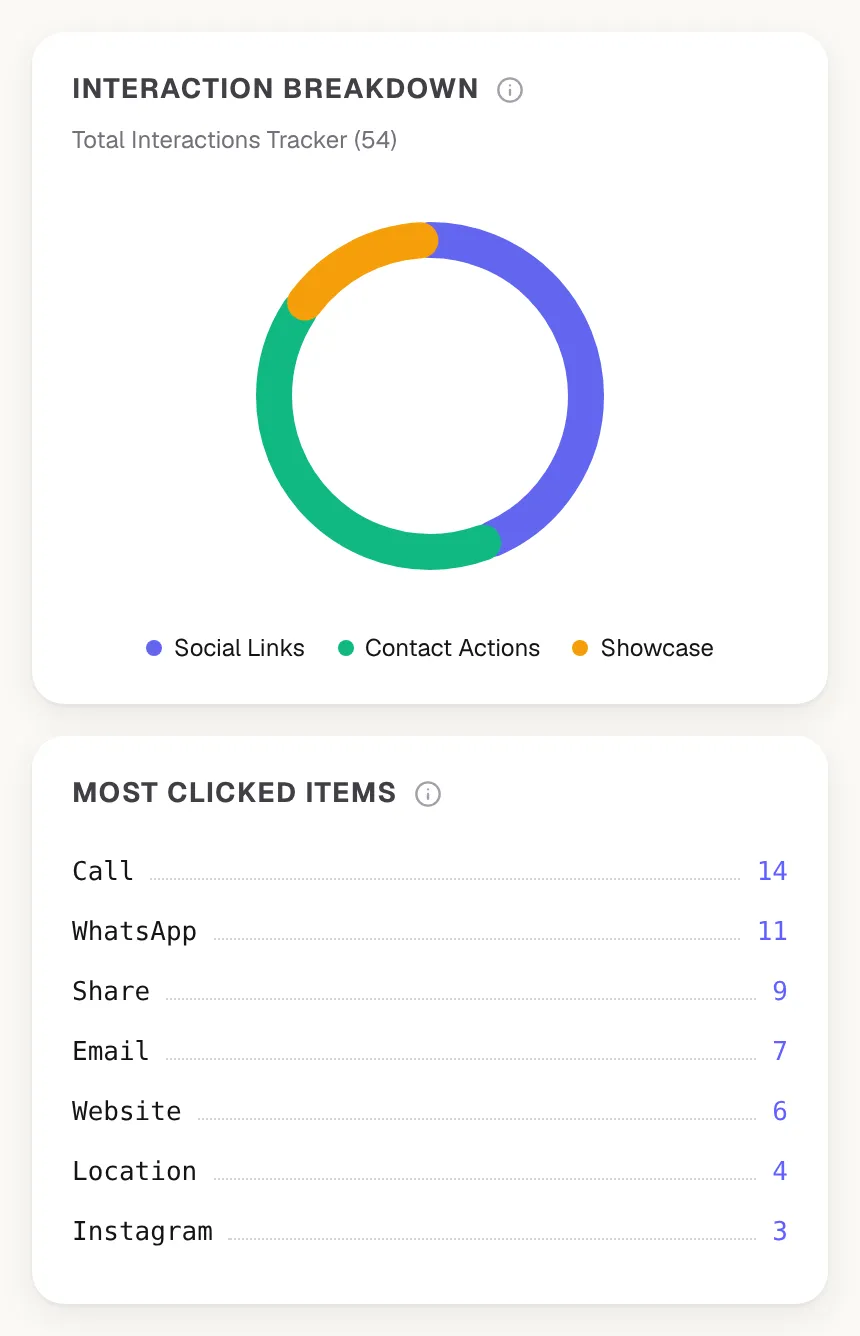
Sample data. Every tap on a link or button is counted and grouped, so patterns are easy to spot.
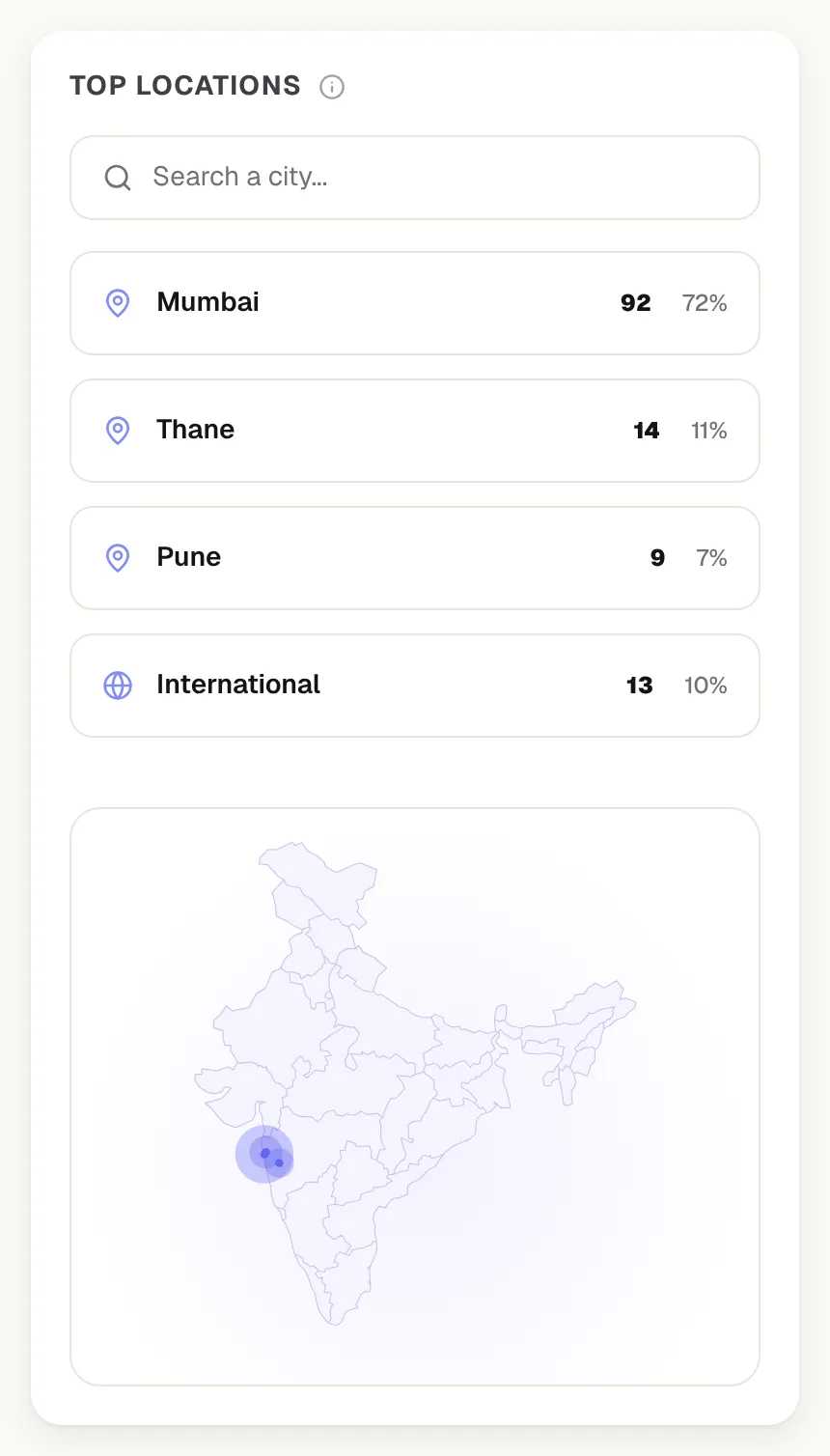
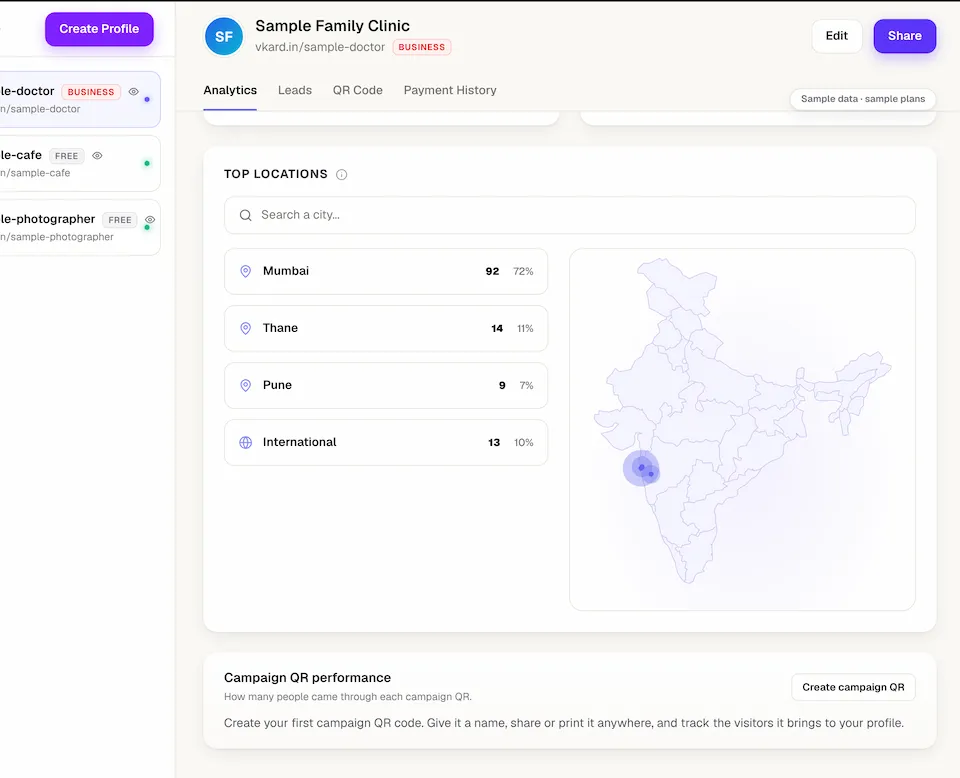
Sample data. See top locations, and compare the scans each campaign QR code brings in.
QR scans are counted on paid plans. A QuickCard scan happens on the visitor's phone, so it cannot be counted.
Lead capture & CRM
Anyone who leaves their details on your profile becomes a lead in your dashboard, and can flow into the tools you already use.
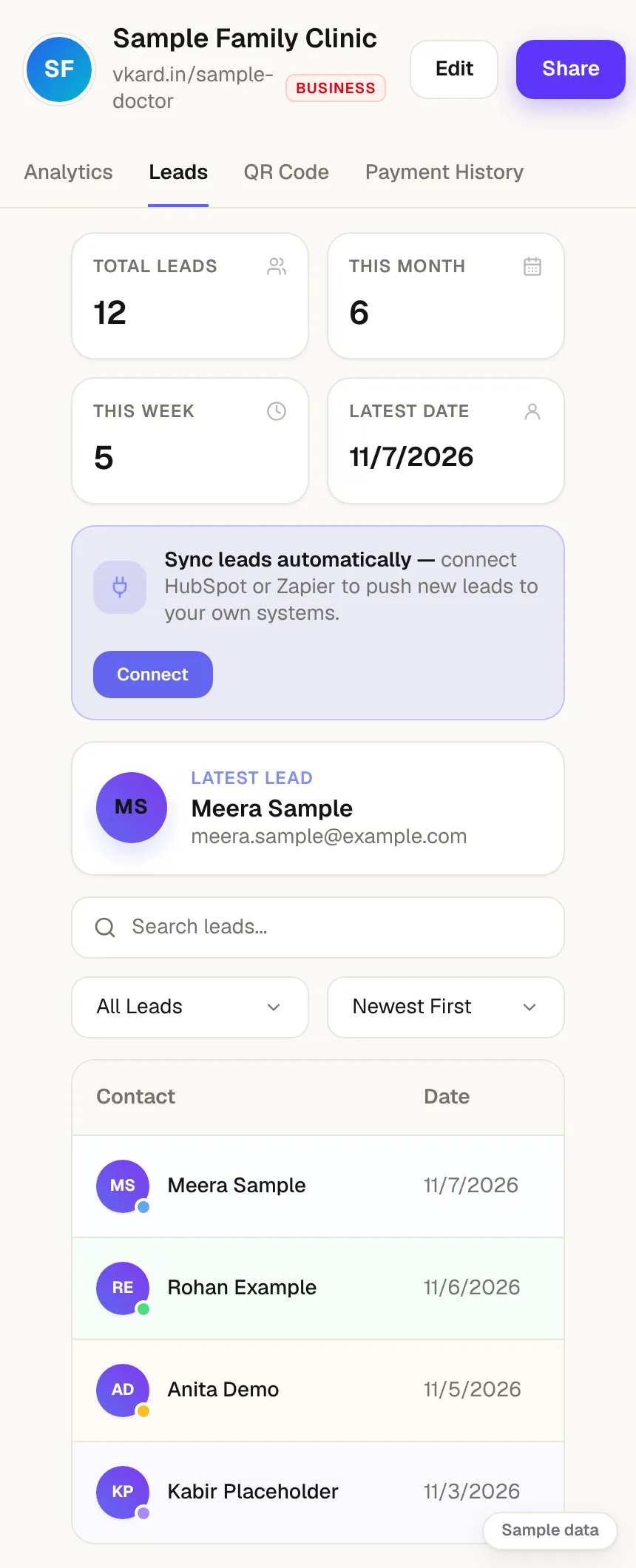
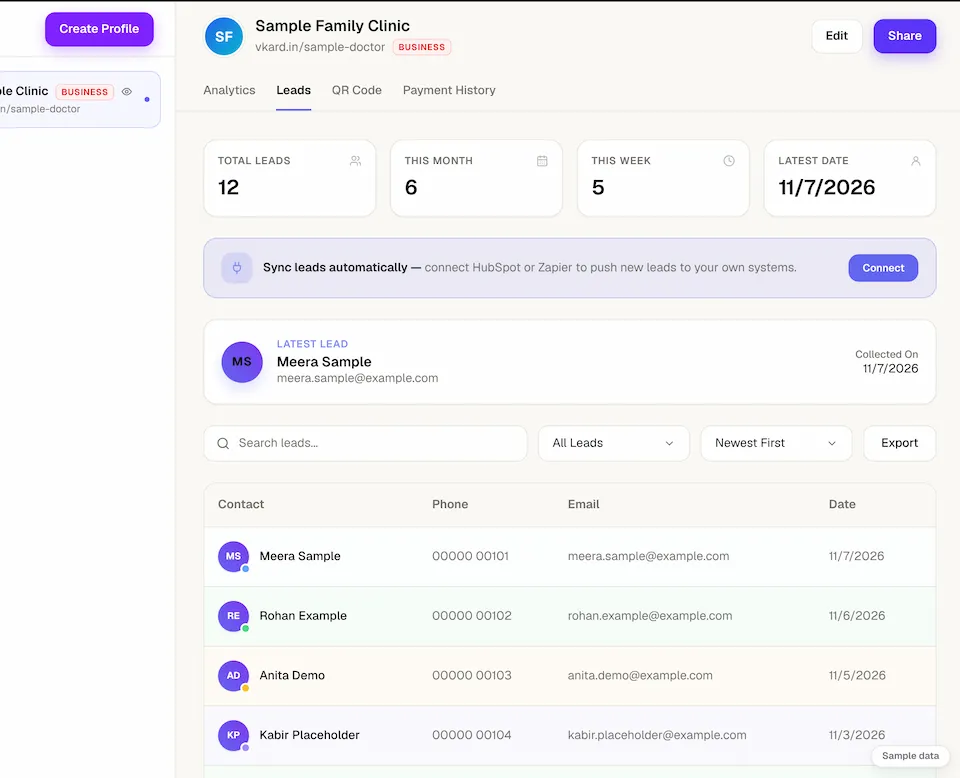
Visitors leave their details right on your profile. Each lead lands in the Leads tab of your dashboard.
Search and filter leads, add notes, mark one of five statuses (New Lead, Contacted, Follow Up, Won, Not Interested) and export everything to CSV.
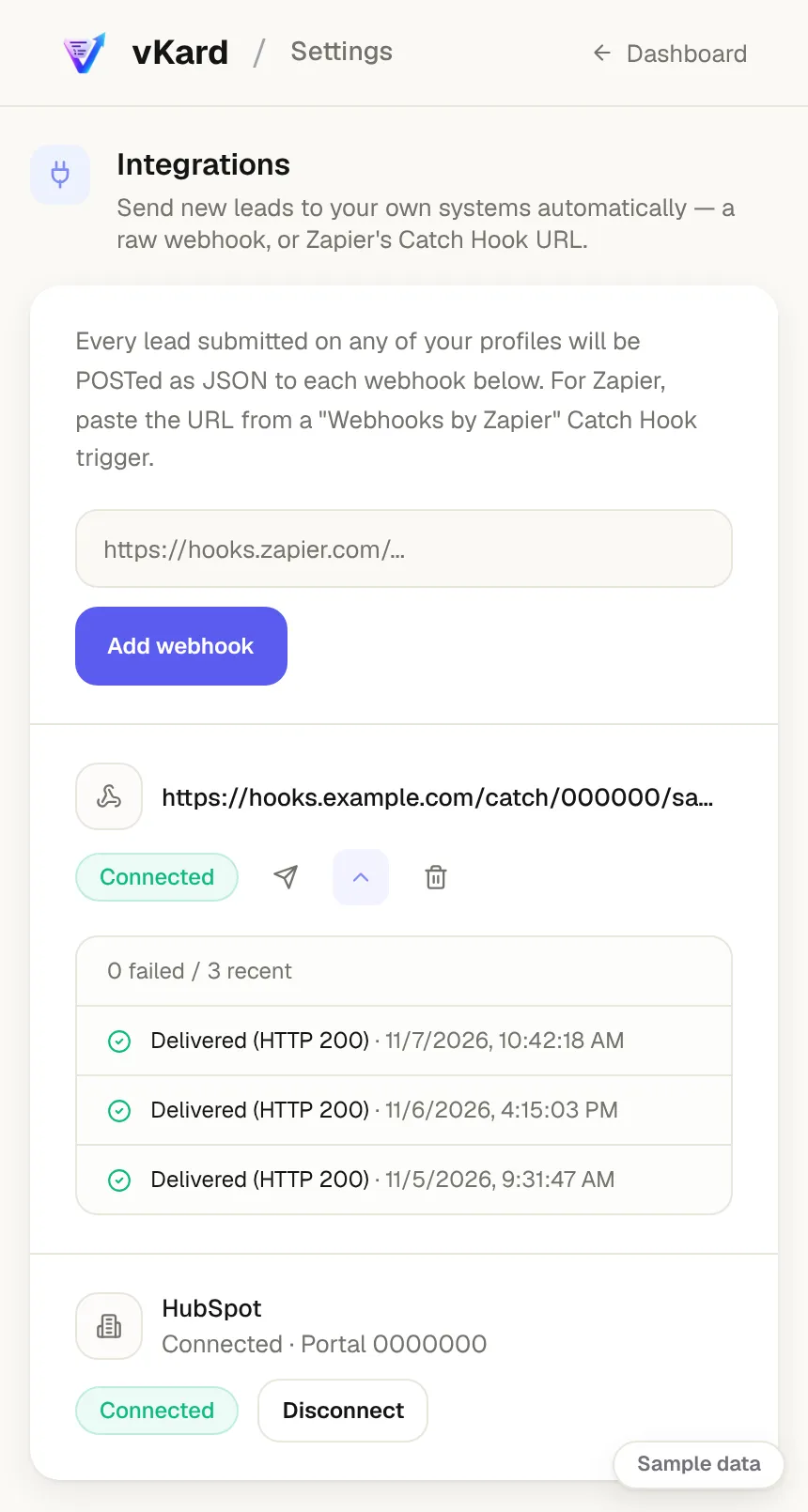
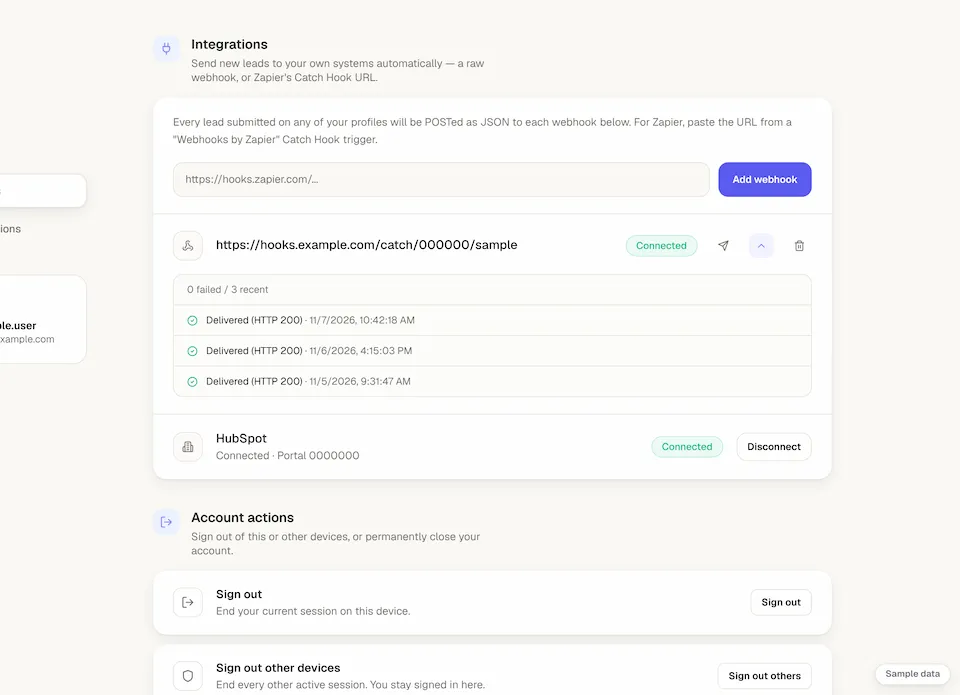
Connect HubSpot, Zapier or your own webhook and each new lead is sent automatically.
Connect through a secure sign-in and vKard creates or updates the contact in your HubSpot account.
Use Webhooks by Zapier with a Catch Hook to pass the lead on to the other apps you use.
vKard posts each lead as JSON to a URL you control. Add a secret and every request carries a signature you can verify.
Send a test lead before you go live, and check the delivery log to see whether each send worked. A slow or failing tool never holds up your visitor, and connections apply to all of your profiles.
Saved-lead limits depend on your plan. See Pricing.
Discovery
Your profile is a public web page, so people can reach it from search as well as from a link you send. A complete profile gives search engines more to work with.
Published profiles are included in vKard's sitemap and carry structured data, so search engines can discover and understand them like any public web page.
On plans with Advanced SEO, write your own search title, description and the image shown when your link is shared. Without them, vKard generates these from your profile.
On paid plans you can ask search engines not to list your profile. It is a request, not a privacy lock: anyone with your link can still open the page.
Change your handle and the old link redirects to the new one, so shared links, printed QR codes and search results keep reaching you.
You can also list your profile under categories, with the number depending on your plan. vKard cannot promise any ranking or that a page will be indexed, and there is no public directory of profiles yet.
See what each plan includes on Pricing, or read how search visibility works.
Compare
A plain look at how a vKard differs from a printed business card and from a link-in-bio page.
vKard
vKard
vKard
vKard
vKard
vKard
vKard
Link-in-bio tools differ from one another, so “Varies by tool” means check the one you use. Some vKard features depend on your plan.
Create a digital profile that makes it easier for people to discover you, connect with you, and take the next step.