
Feature
Downloadable Links: put your resources in one place
Share brochures, PDFs, portfolios, presentations, certificates and other resources.
- Digital Downloads
- Download Links
- Resource Links
- PDF Downloads
- Brochure Download
- File Sharing
- CV Download
- Portfolio Links
- Downloadable Files
On this page
vKard Downloadable Links turn your profile into a resource hub. Add links to brochures, PDFs, presentations, documents and other files, label each by file type, and visitors can download them straight from your profile instead of waiting for you to send them separately.
What Downloadable Links do
vKard Downloadable Links turns your digital profile into a central resource hub. Instead of sending documents separately through multiple messages or asking visitors to find them later, you can make important resources available directly from your profile.
How to add a download
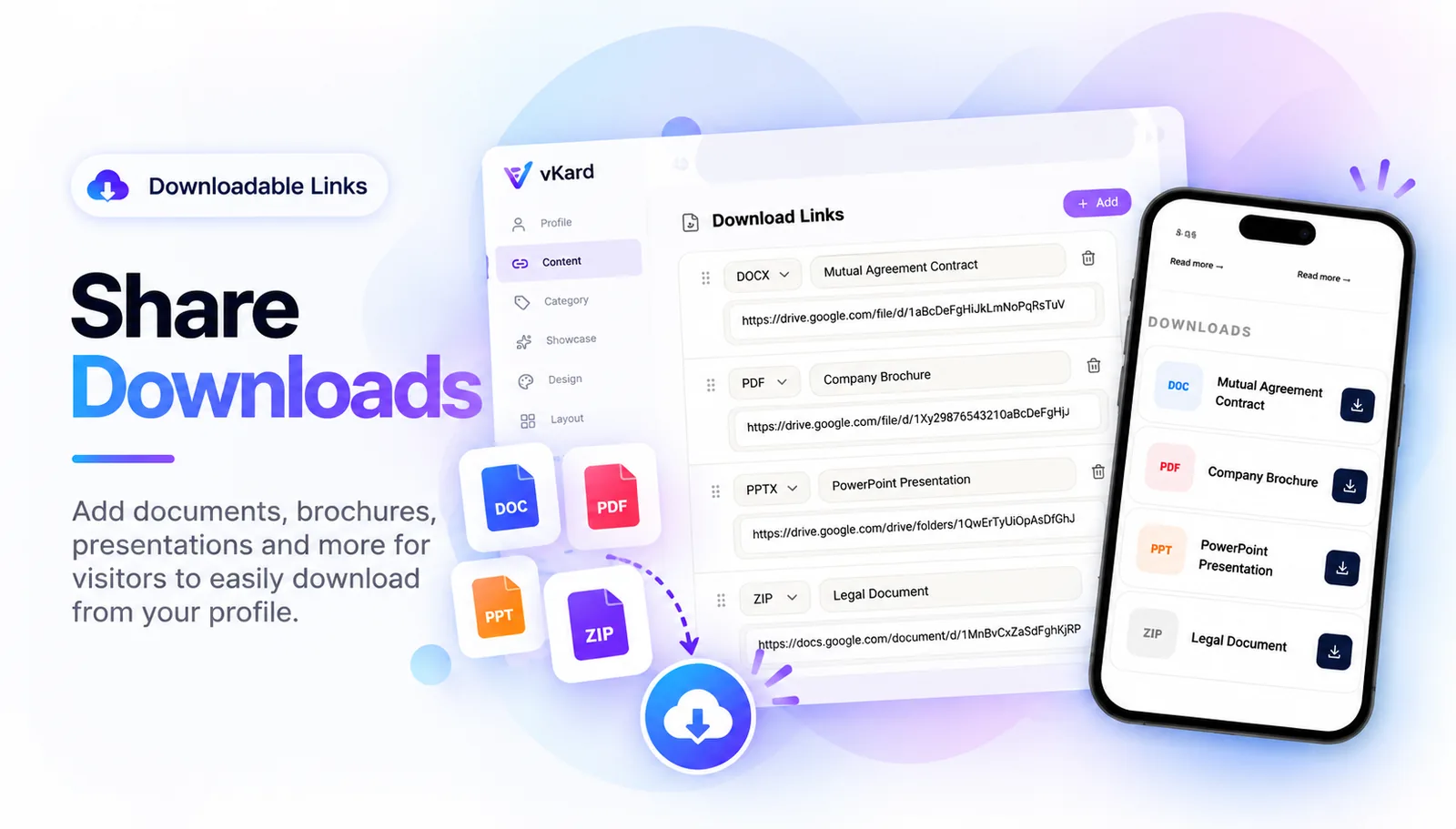
Each download is a simple row in the Content editor.
- Choose a file type such as DOCX, PDF, PPTX or ZIP
- Give it a clear name, for example Company Brochure
- Paste the link to the file, for example a shared cloud-storage link
- Drag to reorder, or delete a link you no longer need
Who benefits
This is particularly valuable for sales professionals, consultants, agencies, recruiters, creators, freelancers and businesses that regularly share supporting documents with prospects and customers.
Downloadable Links also complement Showcase and Click to Action, letting visitors move from discovering your work to accessing the supporting material they need.
Frequently asked questions
- Which file types can I label?
- The editor includes file types such as DOCX, PDF, PPTX and ZIP, each shown with its own icon on your profile.
- Do I upload files to vKard?
- You add a link to each file, such as a cloud-storage share link, and give it a name; visitors download it from your profile.
- Can I change the order of downloads?
- Yes. Items can be dragged into the order you prefer.
Related
Ready to try it?
Create your free vKard or find more answers in the FAQ.
Last updated 2026-11-04.