
Feature
Click to Action: turn attention into immediate action
Give visitors direct ways to call, message, connect, visit or engage.
- Call To Action
- CTA Buttons
- WhatsApp Button
- Contact CTA
- Lead CTA
- Action Buttons
- One Click Contact
- WhatsApp Marketing
- Conversion CTA
On this page
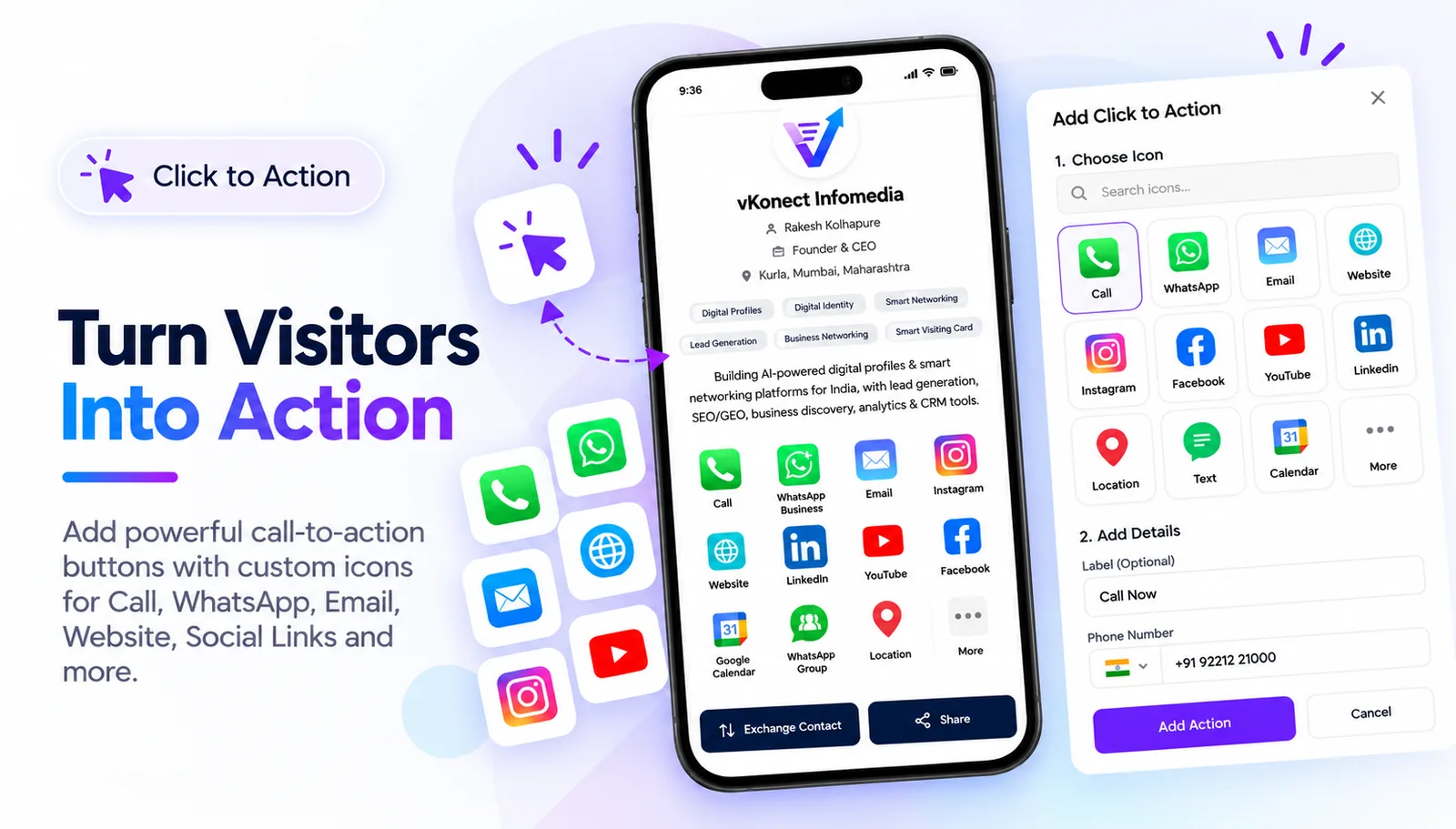
vKard Click to Action adds tappable buttons to your profile for calling, WhatsApp, email, your website, social links, location and more. Visitors move from viewing your details to taking a next step in one tap, and you choose the icon, label and destination for each action.
Steps
- Choose an icon. Open Add Click to Action and pick an icon such as Call, WhatsApp, Email or Website. You can search the icon list.
- Add details. Enter an optional label such as Call Now and the destination, for example a phone number with its country code.
- Save the action. Select Add Action. The button appears on your profile for visitors to tap.
What Click to Action does
vKard Click to Action helps visitors move from viewing your digital profile to taking a meaningful next step. Instead of making someone search through your information for what to do, important actions are presented directly through interactive buttons and links.
Depending on your profile, actions can guide people toward communication, social platforms, websites, locations, enquiries and other important destinations.
Available action types
The icon picker includes the actions most businesses need.
- Call, WhatsApp, WhatsApp Business and WhatsApp Group
- Email, Website and Location
- Instagram, Facebook, YouTube and LinkedIn
- Text, Calendar and more
Why it matters
Click to Action is especially useful for businesses where the goal is actual engagement rather than profile visibility alone, including WhatsApp messages, calls, enquiries, location visits and social interactions.
Combined with Advanced Analytics, you can understand which interactions receive attention and refine your profile. For Indian businesses where mobile browsing, WhatsApp and social sharing are widely used, clear action-oriented profile design makes digital networking considerably more practical.
Frequently asked questions
- Can I name my buttons?
- Yes. Each action has an optional label, such as Call Now, alongside the icon you choose.
- Which actions are supported?
- Call, WhatsApp, email, website, location, text, calendar and popular social platforms are included in the icon picker.
- Can I see which buttons get used?
- Combined with Advanced Analytics, you can understand which interactions receive attention.
Related
Ready to try it?
Create your free vKard or find more answers in the FAQ.
Last updated 2026-11-04.