
Feature
Availability: show when you can be reached
Show when you are available for meetings, appointments and consultations.
- Appointment Booking
- Online Booking
- Service Availability
- Booking Calendar
- Schedule Online
- Meeting Booking
- Service Booking
- Business Hours
- Appointment Schedule
On this page
vKard Availability lets you set working hours for each day of the week and display them on your digital profile. Visitors see your schedule and whether you are currently open or closed, so they know when to contact you instead of having to ask.
What Availability does
vKard Availability helps professionals and businesses communicate when they are available for meetings, appointments, consultations or other professional interactions.
Instead of forcing visitors to ask when you are available, your digital profile can provide clear availability information so prospects know when to reach out or schedule an interaction.
How it is set up
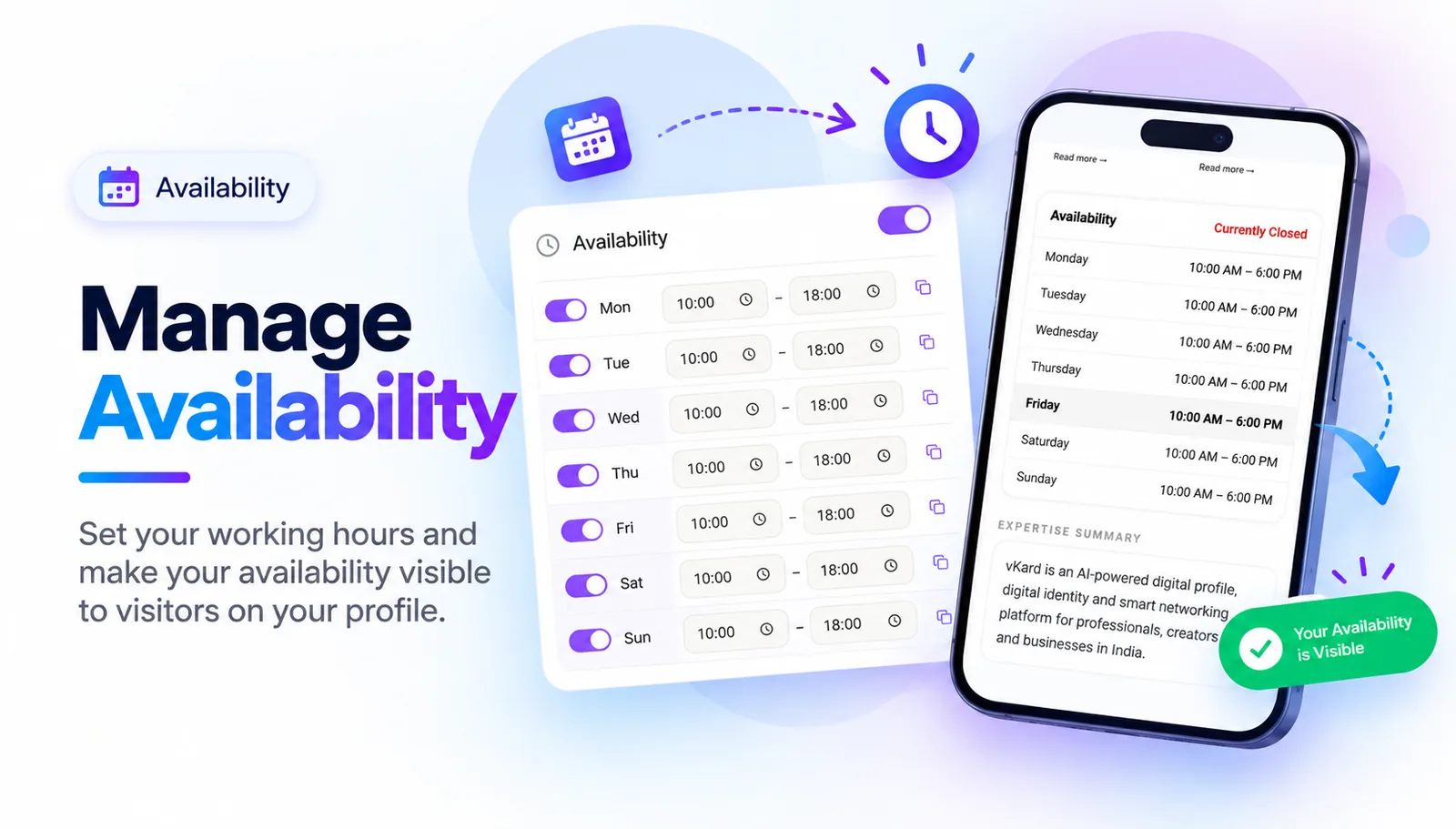
The editor lists each day from Monday to Sunday.
- Turn the whole section on or off
- Switch each day on or off individually
- Set start and end times per day
- Copy one day's hours to other days to save time
- Choose By appointment instead of a timetable (paid plans)
Add a booking link
On paid plans you can choose By appointment and paste a booking link: a Google Calendar appointment schedule, Calendly, Cal.com or any other https booking page. Your profile shows it as a Book an appointment button, with or without opening hours. Free profiles do not include this option.
What visitors see
On the public profile, visitors see an Availability panel listing hours for every day, with today highlighted and a clear status such as Currently Closed.
Who it is for
Availability is especially useful for consultants, coaches, trainers, healthcare professionals, real estate agents, freelancers, agencies and service providers who operate around specific working hours or appointment schedules.
It works naturally with Click to Action options, and it complements Contact Exchange and Lead Generation by giving prospects clearer expectations before initiating communication. For Indian professionals and local businesses, visible availability makes a profile more useful across WhatsApp, QR codes, social media, websites and in-person networking.
Frequently asked questions
- Can I set different hours for different days?
- Yes. Each day has its own switch and start and end time, and you can copy hours across days.
- Will visitors see if I am closed right now?
- Yes. The availability profile on your profile shows your weekly hours and a status label such as Currently Closed.
- Can I hide availability?
- Yes. The section has its own on/off switch, so it appears on your profile only when enabled.
- Can visitors book an appointment from my profile?
- Yes, on paid plans. Choose By appointment, paste your Google Calendar, Calendly, Cal.com or other https booking link, and your profile shows a Book an appointment button.
Related
Ready to try it?
Create your free vKard or find more answers in the FAQ.
Last updated 2026-11-04.