
Feature
Leads: turn profile visitors into business leads
Capture visitor information and turn meaningful interactions into structured leads.
- Lead Generation
- Lead Capture
- Business Leads
- CRM Leads
- Lead Management
- Sales Leads
- Customer Enquiries
- Enquiry Leads
- Sales Enquiries
On this page
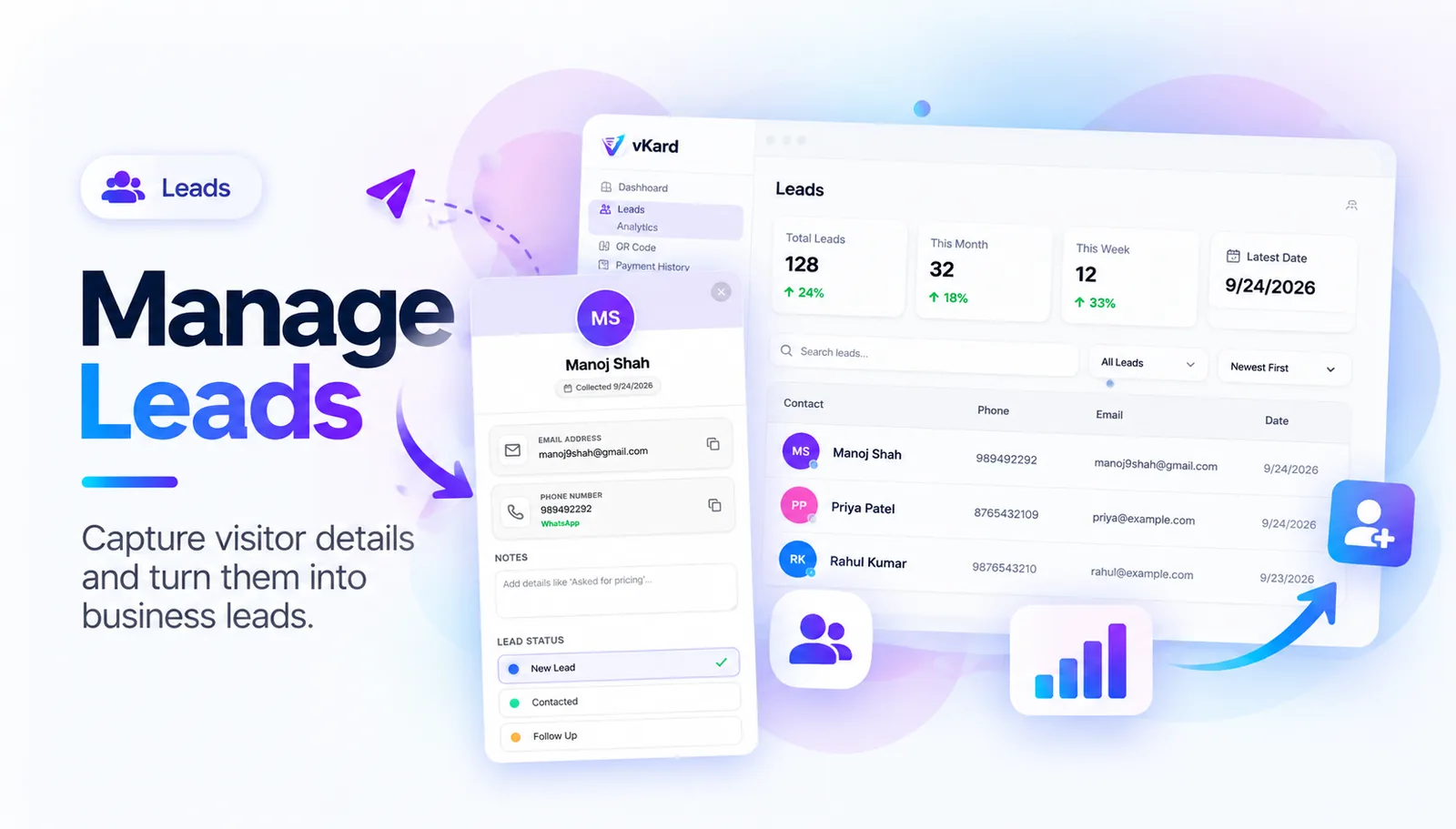
vKard Leads turns profile engagement into business opportunities. When a visitor uses Exchange Contacts or submits information through a supported interaction, their details become a lead you can search, annotate with notes, and track through statuses such as New Lead, Contacted and Follow Up.
What vKard Leads does
vKard Leads helps convert digital profile engagement into actionable business opportunities. This creates an important connection between digital networking and business development.
Rather than receiving a profile visit and losing the opportunity after the visitor leaves, your digital profile can become part of a lead-generation workflow.
What you can do in the Leads dashboard
Everything about your leads sits in one place.
- See total leads, leads this month, leads this week and the latest lead date
- Search leads and sort them, for example newest first
- Open a lead to see name, email, phone number and collection date, and copy details in one tap
- Add notes such as 'Asked for pricing'
- Set a lead status: New Lead, Contacted or Follow Up
Who benefits
Leads are useful for consultants, agencies, real estate professionals, financial professionals, service providers, sales teams, freelancers, startups and businesses that rely on enquiries and relationship-driven sales.
Part of a connected journey
Combined with Advanced Analytics, Campaign QR Codes and supported integrations, vKard can connect the journey from visitor discovery to contact exchange, lead capture and business follow-up.
Frequently asked questions
- How does a visitor become a lead?
- When a visitor uses Exchange Contacts or submits information through a supported interaction, their details can become a lead.
- Can I add notes to a lead?
- Yes. Each lead has a notes field where you can record details such as what the visitor asked for.
- What lead statuses are available?
- The lead panel shows New Lead, Contacted and Follow Up so you can track where each conversation stands.
Related
Ready to try it?
Create your free vKard or find more answers in the FAQ.
Last updated 2026-11-04.