
Feature
Showcase: turn your profile into a visual portfolio
Showcase your work, products, projects, services and achievements visually.
- Portfolio Showcase
- Business Portfolio
- Product Showcase
- Service Showcase
- Project Portfolio
- Work Portfolio
- Photo Gallery
- Product Gallery
- Visual Portfolio
On this page
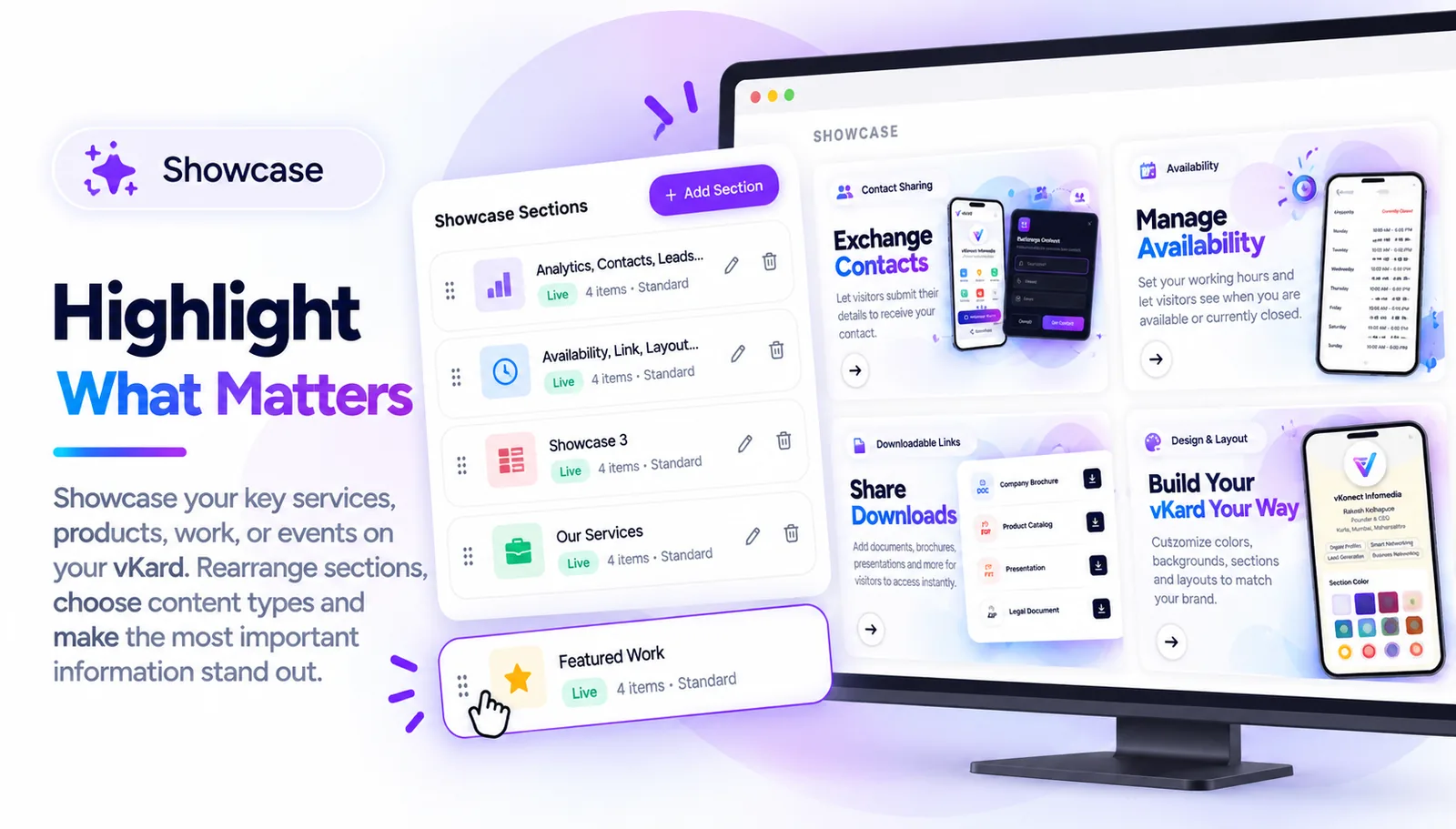
vKard Showcase gives you a dedicated space on your profile to present services, products, projects, events and featured work visually. You create sections, choose the content type, rearrange them with drag and drop, and put the most important information where visitors see it first.
What Showcase does
vKard Showcase gives professionals and businesses a dedicated space to visually demonstrate what they actually do. Instead of relying only on a name, title and description, you can present your work, projects, services, products, achievements and visual content directly within your digital profile.
How you manage it
The Showcase Sections manager keeps everything organised.
- Add a section and give it a title, such as Our Services or Featured Work
- See each section's status (Live), number of items and layout style
- Edit or delete sections at any time
- Drag sections to reorder them
Prices, discounts and Featured items
Each item can show a price right on its tile, so visitors see it before opening the item.
- Offer price: what the customer pays.
- MRP (optional): the original price. When it is higher than the offer price, the profile shows it struck through with a percentage-off tag, rounded down so a saving is never overstated.
- Featured item: tick it to pin a gold star on that item.
Who benefits
Showcase is particularly useful for photographers, designers, architects, real estate professionals, agencies, restaurants, retailers, creators, freelancers, consultants and businesses where visual proof helps communicate value.
A complete visitor journey
A strong Showcase lets visitors explore your work quickly and can work alongside Downloadable Links, Click to Action and Contact Exchange to create a complete visitor journey.
For local businesses, creators and professionals in India, Showcase can become a compact visual portfolio accessible through one profile URL, QR code, WhatsApp message or social media share.
Frequently asked questions
- What can I put in a Showcase?
- Services, products, projects, featured work, events and achievements can all be presented as showcase sections.
- Can I reorder sections?
- Yes. Sections can be dragged into the order you prefer.
- Can I edit a section after publishing?
- Yes. Each section has edit and delete controls and shows whether it is live.
Related
Ready to try it?
Create your free vKard or find more answers in the FAQ.
Last updated 2026-11-04.