
Feature
Design & Layout Editor: a profile that looks like your brand
Customize your profile design, sections and layout to match your brand.
- Profile Design
- Design Editor
- Layout Editor
- Profile Builder
- Brand Profile
- Custom Profile
- Digital Profile
- Personal Branding
- Business Branding
On this page
The vKard Design & Layout Editor lets you customise your profile's colours, backgrounds and button styling, and rearrange sections with drag and drop. You control how your digital identity looks and which information appears first, so the profile matches your personal or business brand.
What the editor does
vKard Design & Layout Editor gives professionals and businesses greater control over how their digital identity is presented. Instead of forcing every user into the same structure, the editor lets you customise the appearance, sections and arrangement of your profile.
Create a digital presence that reflects your personal brand, business identity, professional style or industry.
What you can customise
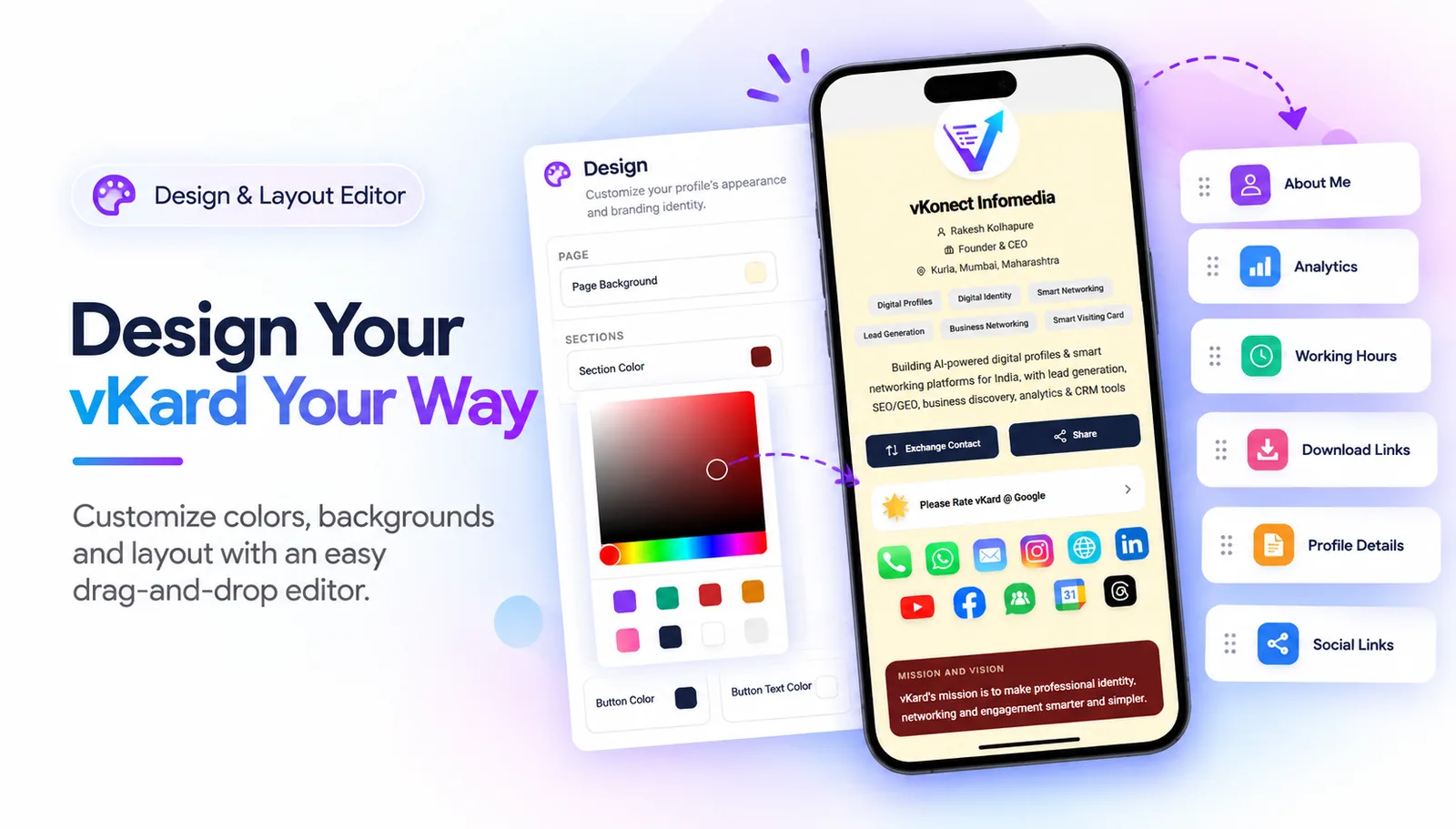
The Design panel shows changes on a live phone preview.
- Page background colour
- Section colour, using a colour picker and quick swatches
- Button colour and button text colour
- Section order, using drag and drop (for example About Me, Analytics, Working Hours, Download Links, Profile Details and Social Links)
Different professions, different priorities
Organise important information so visitors can quickly understand who you are, what you offer and what action they should take next. A real estate professional may emphasise services and enquiries, while a consultant may prioritise expertise, portfolio content and appointments.
A flexible profile builder lets the structure adapt to these needs while keeping a consistent digital identity.
Who it is for
Consultants, creators, entrepreneurs, agencies, sales professionals, startups, local businesses and established brands that want a distinctive online presence.
Frequently asked questions
- Can I change my profile colours?
- Yes. You can set the page background, section colours, button colour and button text colour from the Design panel.
- Can I reorder sections?
- Yes. Sections can be rearranged with drag and drop so the most important information appears first.
- Will I see changes before they go live?
- The editor shows a live preview of your profile as you adjust colours and layout.
Related
Ready to try it?
Create your free vKard or find more answers in the FAQ.
Last updated 2026-11-04.